Stellard Entry access control
NFC access for unattended 24/7 operation – with the Stellard device Entry at your door. Currently available as a beta version.
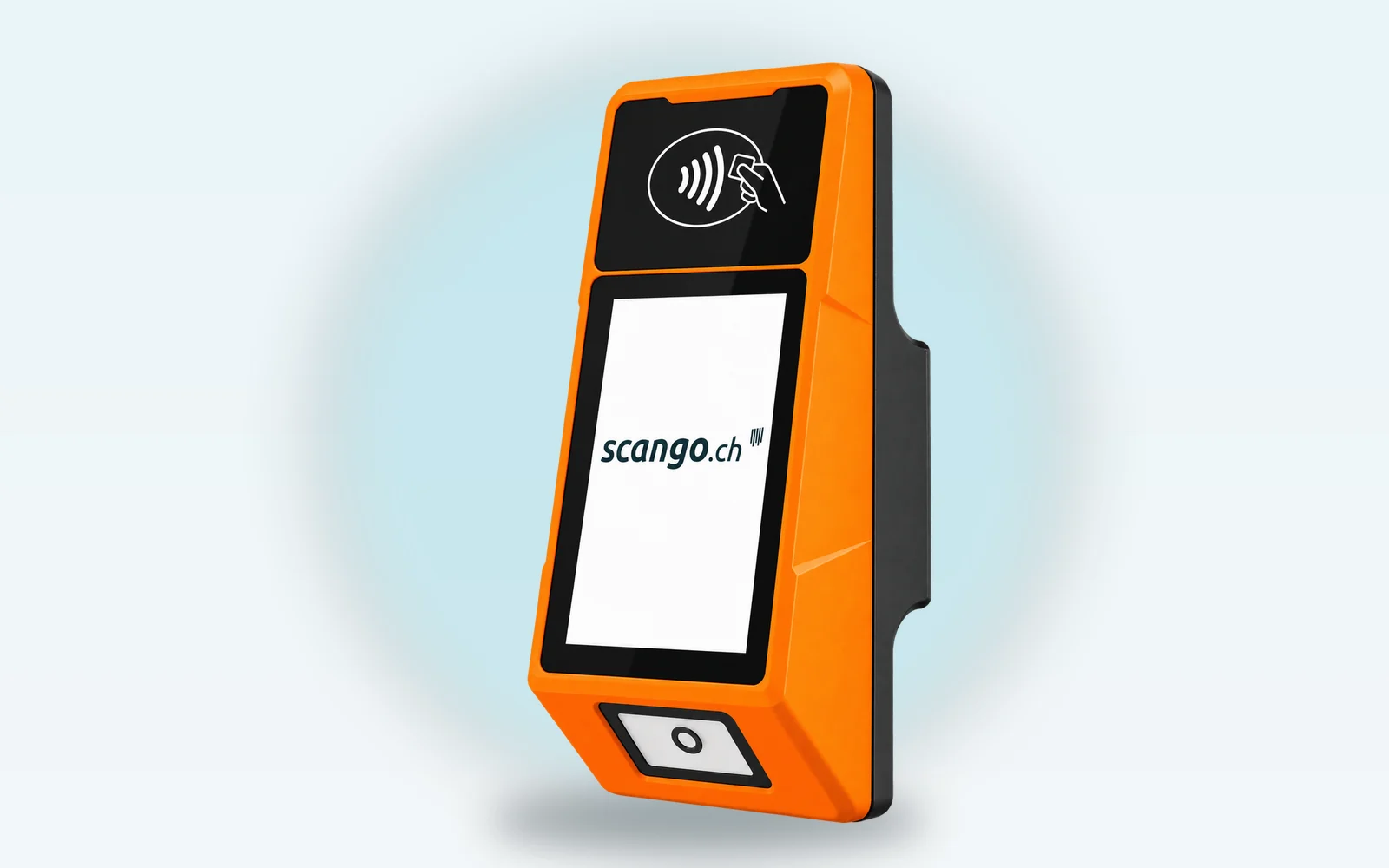
Access without handing out keys and without staff at the door
One stack
Hardware, software and support – no patchwork.
For small stores
Small independent shops – from village shops to company shops, not supermarket enterprise.
Swiss Made
Programmed in Toggenburg – support with a face.
How Stellard Entry works
1 Hold up the card
The customer holds their NFC card to the Stellard device Entry.
2 Read the card
The Stellard device Entry reads the card – without storing any card data.
3 Open the door
The Stellard device Entry triggers the relay via Wi-Fi and your door opener opens.
Hardware & subscription
Stellard device Entry
Device for mounting at the entrance (on a pipe or directly on the wall) to read NFC cards and QR codes – software pre-installed.
CHF 990.–
one-time, excl. VAT
- Customer-facing display (5.5″ colour LCD)
- 1D/2D code scanner incl. QR codes
- NFC reader (13.56 MHz)
- Ethernet (100 Mbps) – network connection required on site
- 230 V power adapter included
- Shelly 1 Gen4 relay included (controlled via Wi-Fi)
- Pipe clamp included (pipe and fixing material not included)
- H 24.6 cm × W 10.2 cm × D 8.1 cm
- 1-year warranty (bring-in)
Stellard Entry Basis
NFC access without storing card data. For scango.ch customers on the «Basis» plan or higher.
CHF 9.90
/ month & Stellard device Entry
- Access via the NFC reader (no data stored)
- Real-time connection of the Stellard device Entry to the scango.ch dashboard
- Maintenance and updates included
- Support via e-mail ticket (no phone support)
- Minimum term 12 months, then cancellable monthly
Stellard Entry Standard
The next stage with customer registration and access via QR code.
Coming soon
- Everything in Stellard Entry Basis
- One-time registration via the scango.ch web app (SMS confirmation charged)
- Access QR code for the wallet – no extra app needed
- Manage and block access data in the dashboard
- Deactivate the Stellard device Entry at set times
Important about NFC
NFC card data is not stored and is not available for later analysis.
On-site installation
- On site it needs a 230 V connection and a network connection (Ethernet cable).
- Mount it on an L-shaped pipe bracket (recommended, clearly visible) or directly on the wall. Of the mounting parts, only the pipe clamp is supplied. You provide the pipe or bracket and the fixing material; there is no separate wall mount.
- Mounting, concealed cable routing and connection to your door opener are done by you or a qualified professional you appoint, not by scango.ch. The device must not be exposed to the weather.
- The device has no emergency opening: your door must always open from the inside, even without power or network.
Beta version
The Stellard device Entry and the system are available as a beta version. We are continuously extending the features; individual workflows may still change before the final version.

Hi, I’m Tobias.
Happy to help. Sign up for free to get a first impression – or request a non-binding quote. I’m here if you have questions.
Tobias Kobelt · scango.ch