Changelog

What’s new at scango.ch

We keep building scango.ch – for village shops, company shops and everyone who runs their own store. Here you can see what is new and what has got better.

  • 17updatessince September 2026
  • 15in the last 30 days
  • 5product areas

Highlights

The biggest updates of the last few weeks.

All updates

Filter by area or scroll through the months.

November 2026

NewStaff app

Today’s revenue on your home screen

The staff app’s widget shows your organisation’s revenue for today right on the home screen of your iPhone or Android phone – without opening the app.

  • Updates as soon as purchases come in, even with the app closed
  • For iOS and Android
  • Revenue of all stores of your organisation combined
NewCloud Dashboard

Reorder proposal from minimum stock

One click shows everything below minimum stock – grouped by supplier, with a suggested quantity in order units. The selected lines become draft orders in one step.

  • Packs are converted correctly, for example 2 packs = 12 units
  • Correct stock and min/max right in the table, with undo
  • Export a count sheet as PDF and the stock as CSV
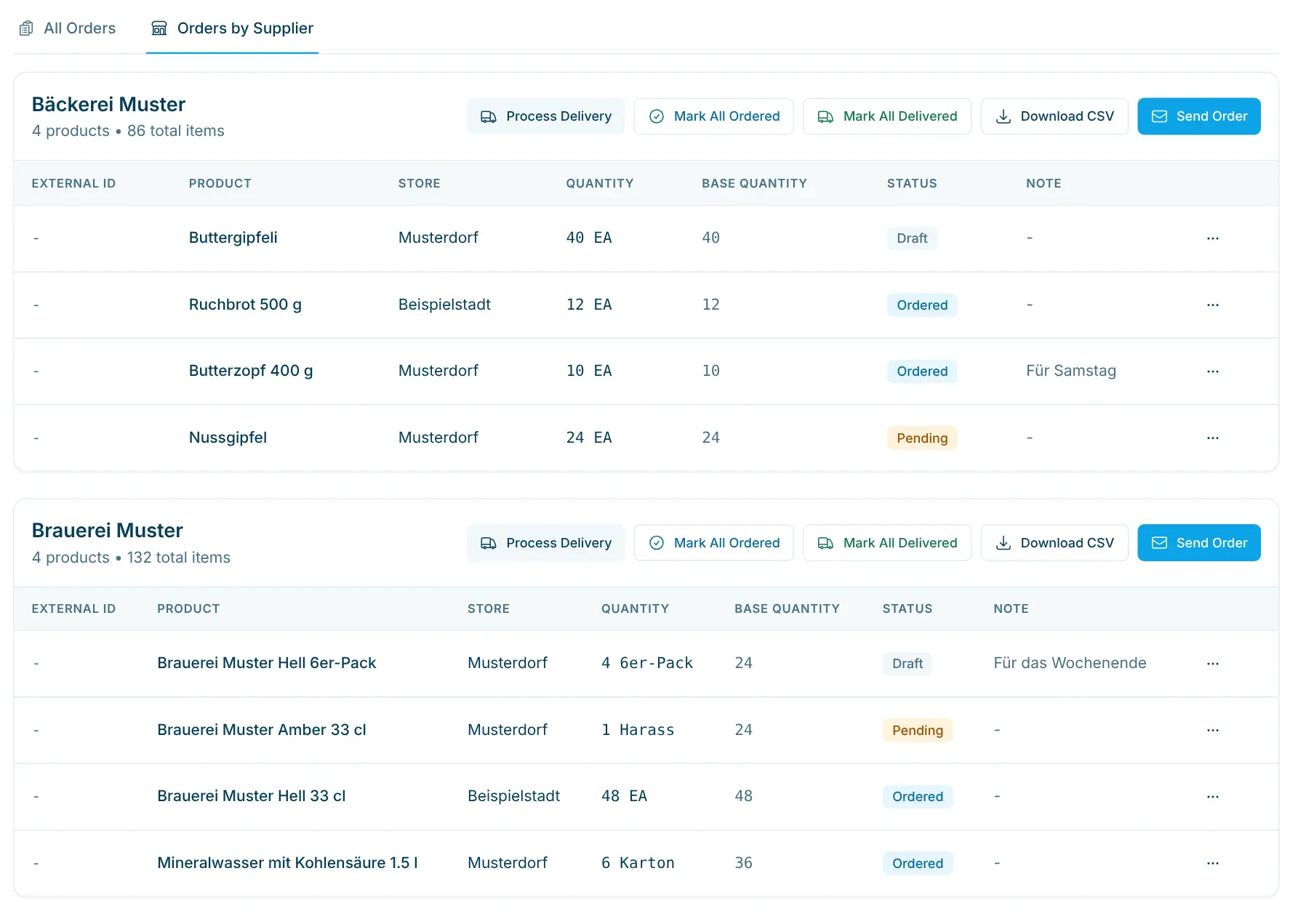
Supplier orders in the Cloud Dashboard
NewSelf-checkout

Pay open purchases from the receipt

If someone could not pay at the checkout, you hand over the receipt by QR code, link or e-mail. The open amount is then paid online there with zahls.ch.

  • “Pay now” right on the receipt, with your store’s zahls.ch account
  • The purchase counts as paid only once zahls.ch confirms the payment
  • Switched on per store, off by default
ImprovedCloud Dashboard

Command palette and keyboard shortcuts

Press Cmd/Ctrl + K to find products, pages and actions in the Cloud Dashboard instantly. Keyboard shortcuts take you to the main pages without a mouse.

  • Recently viewed pages and quick actions such as “New product”
  • “?” shows all shortcuts, “/” jumps to the search
  • Navigation grouped by task: sales, assortment, marketing, finance, devices & operations
ImprovedStaff app

Staff app keeps working without a connection

Stock corrections you make without a connection wait in a queue and are sent in order as soon as you are back online.

  • Scan sounds for found, not found and error (can be switched off)
  • Manual entry with a number pad and the last three scanned codes
  • Failed delivery note uploads can be sent again

October 2026

ImprovedAPI & integrations

AI assistants: access per organisation and area

When you connect Claude, ChatGPT or Grok, you choose which organisations the assistant sees – and per area whether it gets no access, read-only or may also make changes.

  • Allow single organisations or all of them
  • Per area: no access, read or change
  • Your role and store access apply as in the dashboard
NewStellard

Stellard Entry opens the door via a relay

Stellard Entry does not switch the door itself but a relay (Shelly 1 Gen4) over your Wi-Fi. That way you can place the relay freely, for example right at the door opener.
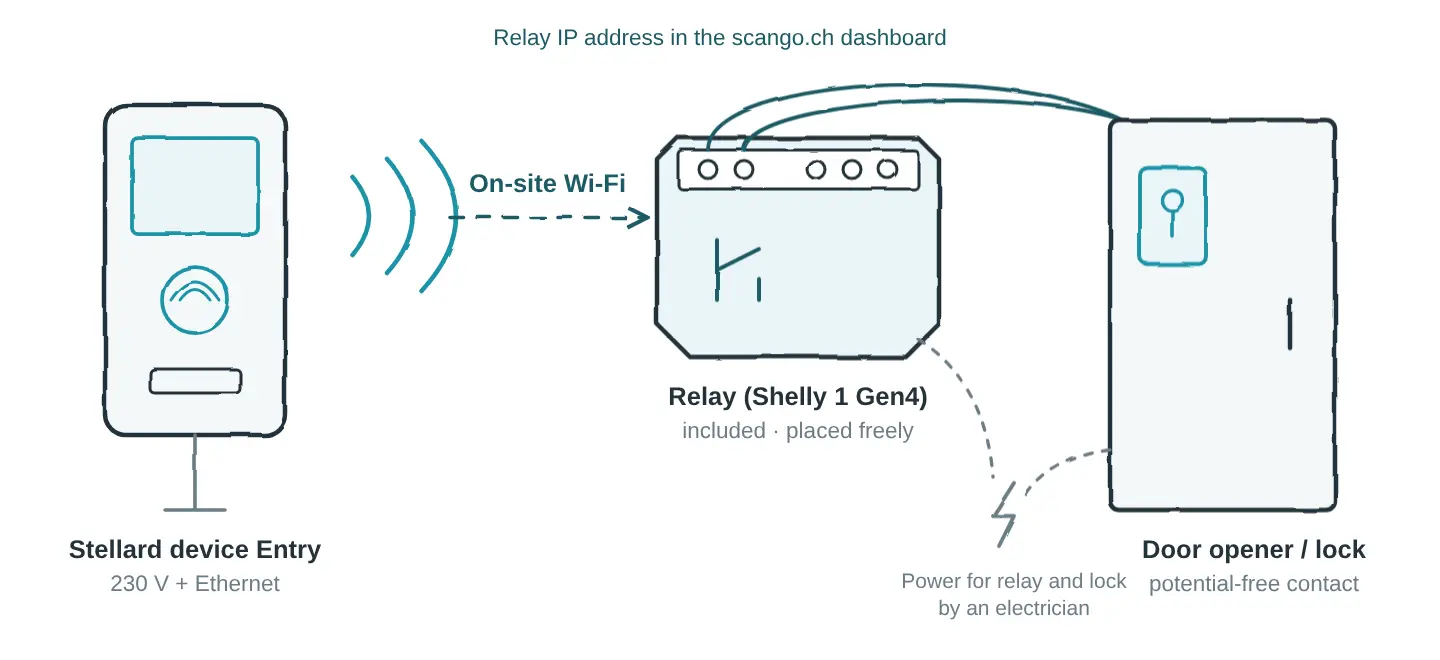
  • Relay included in the price of Stellard Entry
  • Switches a potential-free contact
  • Enter the relay’s IP address in the dashboard under “Door opener”
Sketch: Stellard Entry controls a relay at the door opener over Wi-Fi
ImprovedStellard

Stellard: opening hours and start image per device

Every Stellard device gets its own opening hours. Outside of them it shows “Closed – opens …” and does not scan.

  • Up to six time windows per weekday, also past midnight
  • Opening from the dashboard still works outside opening hours
  • Its own background image per device, otherwise the store’s image
ImprovedSelf-checkout

The checkout clears forgotten carts

If a cart is left behind, the checkout asks “Are you still there?” after a while. With no reaction for 30 seconds, it is deleted and the next person starts with an empty cart.

  • Waiting time set per store: 5 minutes by default, up to 60 minutes or never
  • Every touch and every scan keeps the cart
  • Never during a payment and not on the staffed checkout
NewAPI & integrations

scango.ch in Claude, ChatGPT and Grok

Connect your AI assistant to scango.ch and ask it about revenue, stock or orders – in plain language, with your own data.

  • For Claude, ChatGPT, Grok and other MCP clients
  • Read-only or with write access
  • The assistant has exactly your permissions, every change is in the audit log
NewCloud Dashboard

Photograph the delivery note instead of typing it

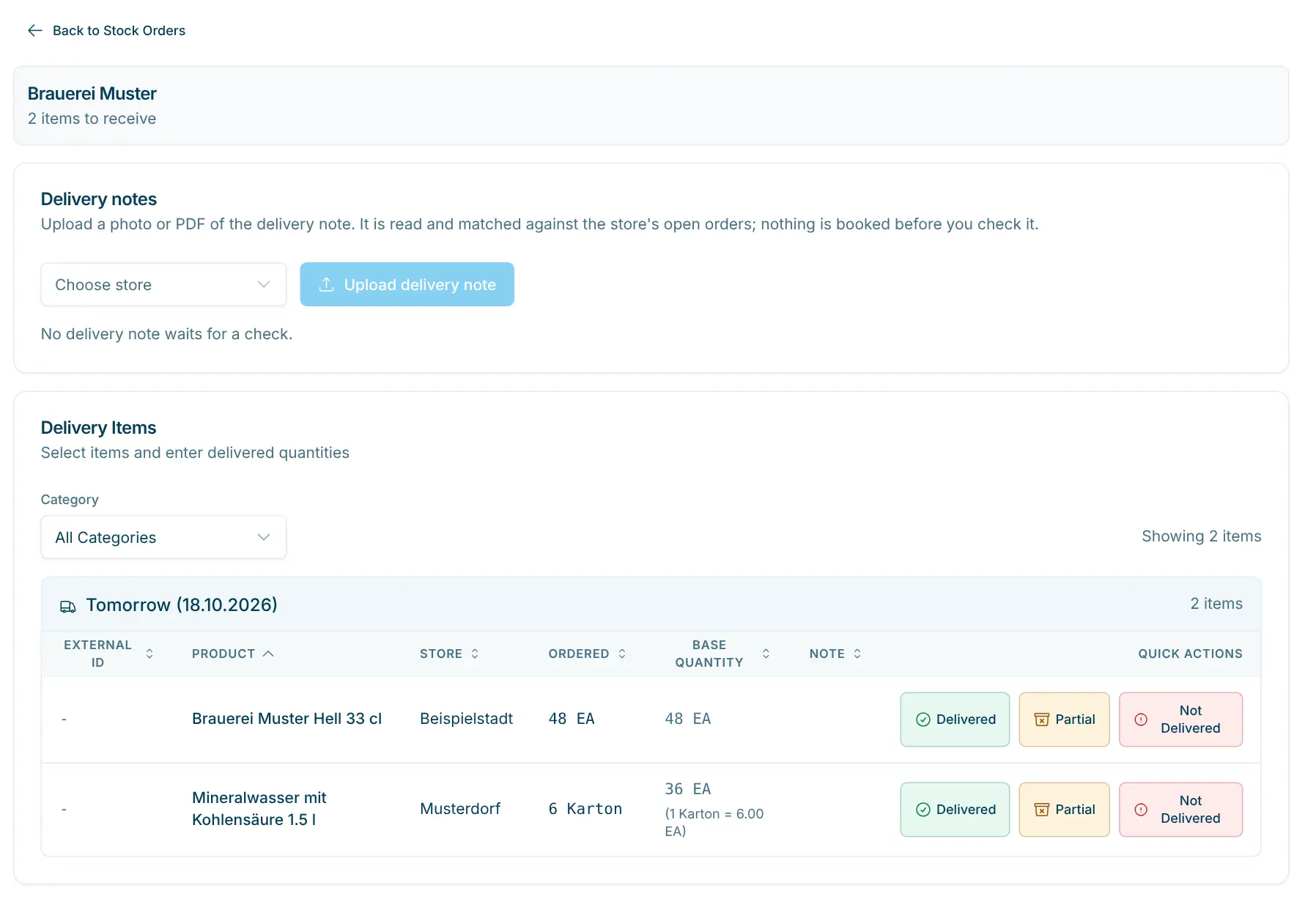
Photograph the delivery note in the staff app or upload it in the dashboard. scango.ch reads it and matches every line against your open orders – nothing is booked until you confirm.
  • Reads photos and PDFs, including multi-page delivery notes
  • Quantities are compared in base units, packs included
  • Lines without an order can be booked right away with a new order
A supplier delivery in the Cloud Dashboard
ImprovedCloud Dashboard

The Cloud Dashboard now comes in dark mode

Choose light, dark or the same as your device. At the same time, tables, forms and dialogs got one consistent design on every page.

  • Light, dark or system
  • Consistent tables, forms, dialogs and loading states
  • All e-mails from scango.ch in the dashboard design too
NewCloud Dashboard

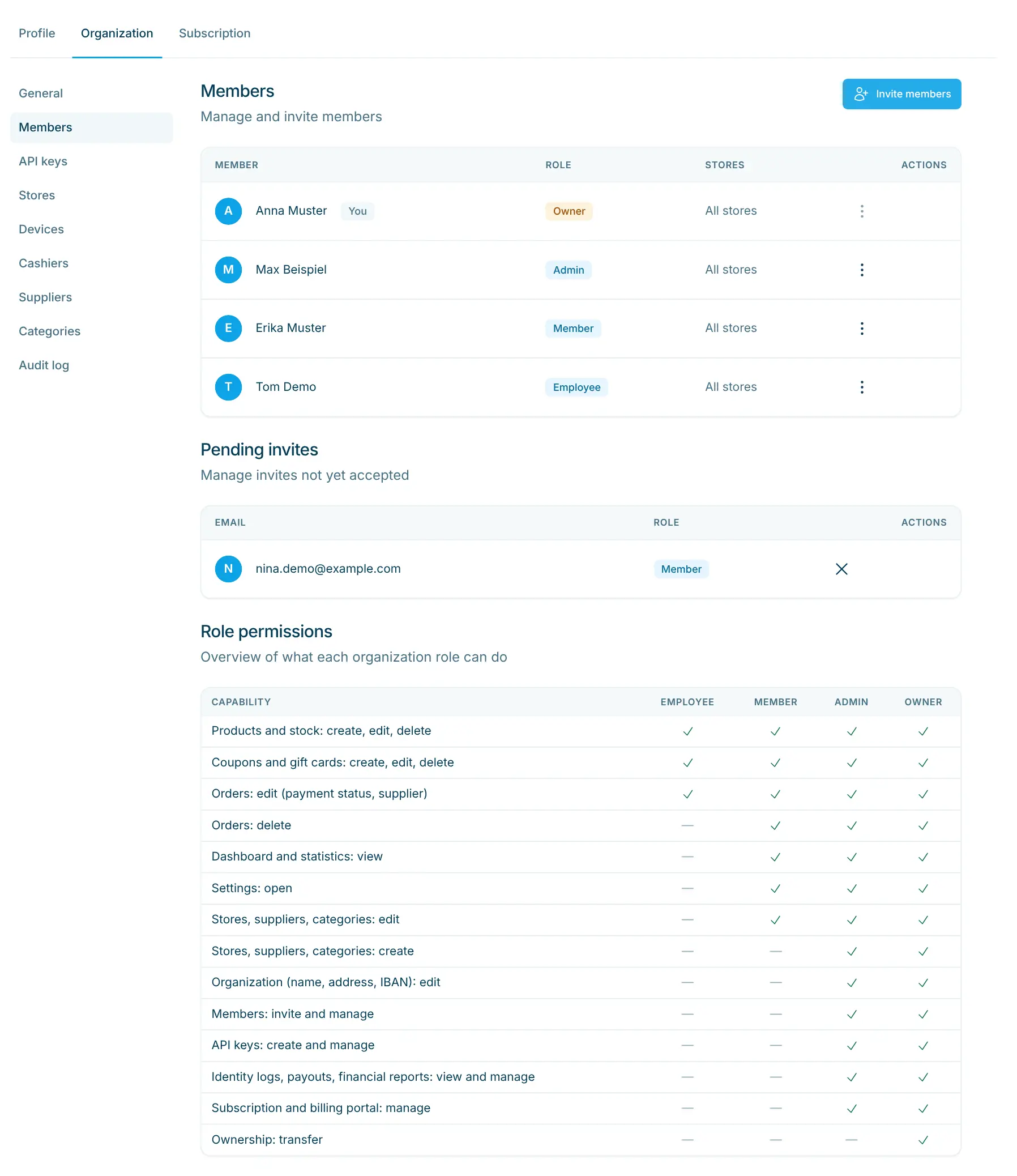
Limit members to single stores

Admins and owners set under Settings › Members which stores someone sees. Purchases and stock then only show those stores.

  • Without a limit, a member sees all stores as before
  • Applies in the dashboard, in the staff app and for AI assistants
  • Role and store access can be changed independently
Members of an organisation in the settings
NewCloud Dashboard

Import products, suppliers and categories from Excel

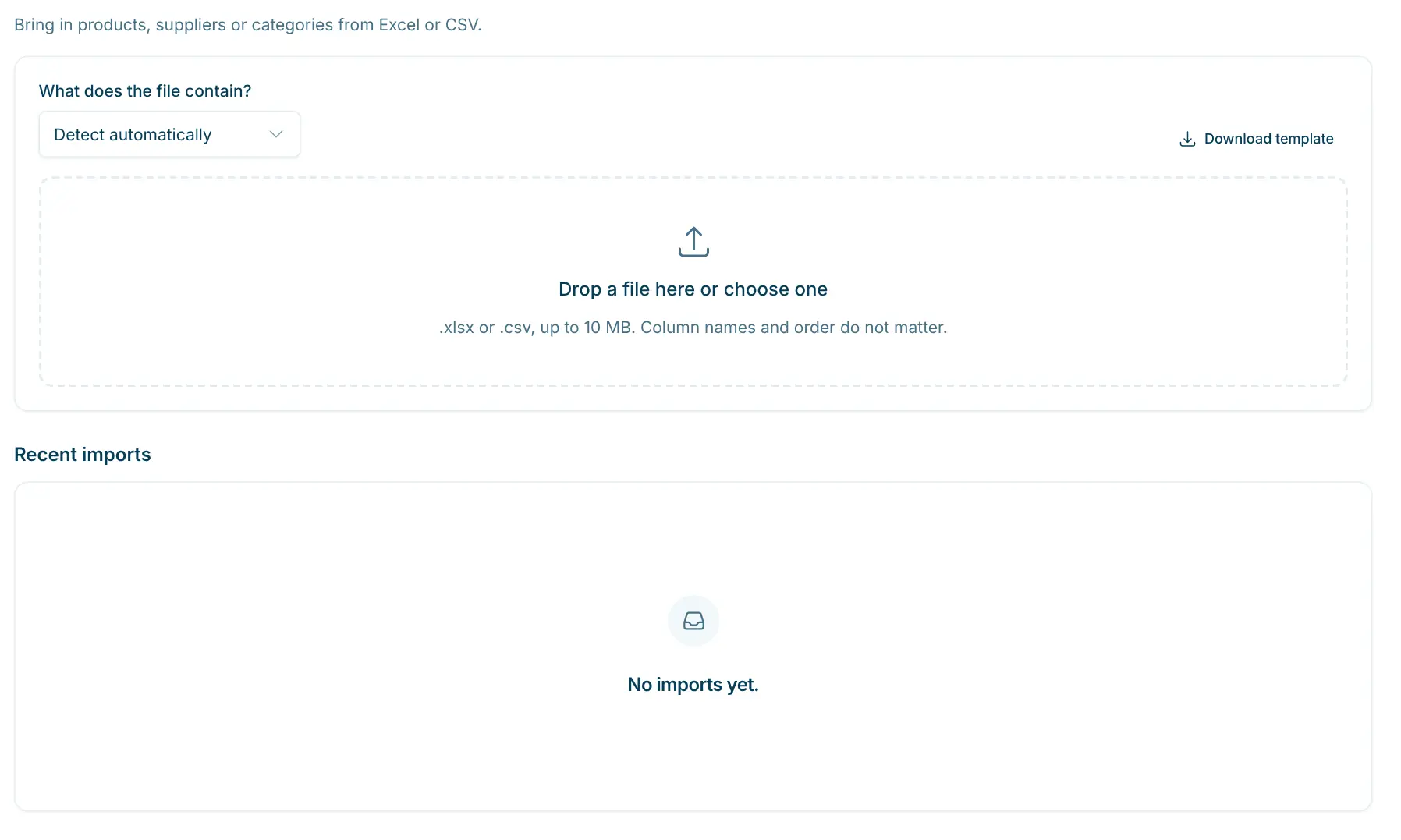
One import for everything: upload an Excel or CSV file, map the columns and check the result. Nothing is written until you confirm the preview.

  • Columns are recognised automatically, also in English, French and Italian
  • Suppliers, categories and stores are matched by their name
  • Up to 20,000 rows per file, and the import remembers mappings you chose once
Product import with column mapping in the Cloud Dashboard
NewCloud Dashboard

Start with a demo store

New organisations can start with a ready-made demo store: products, suppliers, stock and 30 days of sales. That way you see the dashboard full of life from day one.

  • 18 products in 6 categories from 5 suppliers
  • Sample data is clearly marked in the dashboard
  • Removed again with one click
ImprovedCloud Dashboard

The dashboard loads faster

The pages of the Cloud Dashboard are now prepared on the server, so the first view is there right away. Statistics are calculated directly on the server.

  • First view without waiting for the browser
  • Statistics fast even over long periods
  • Dates and times in Swiss time everywhere
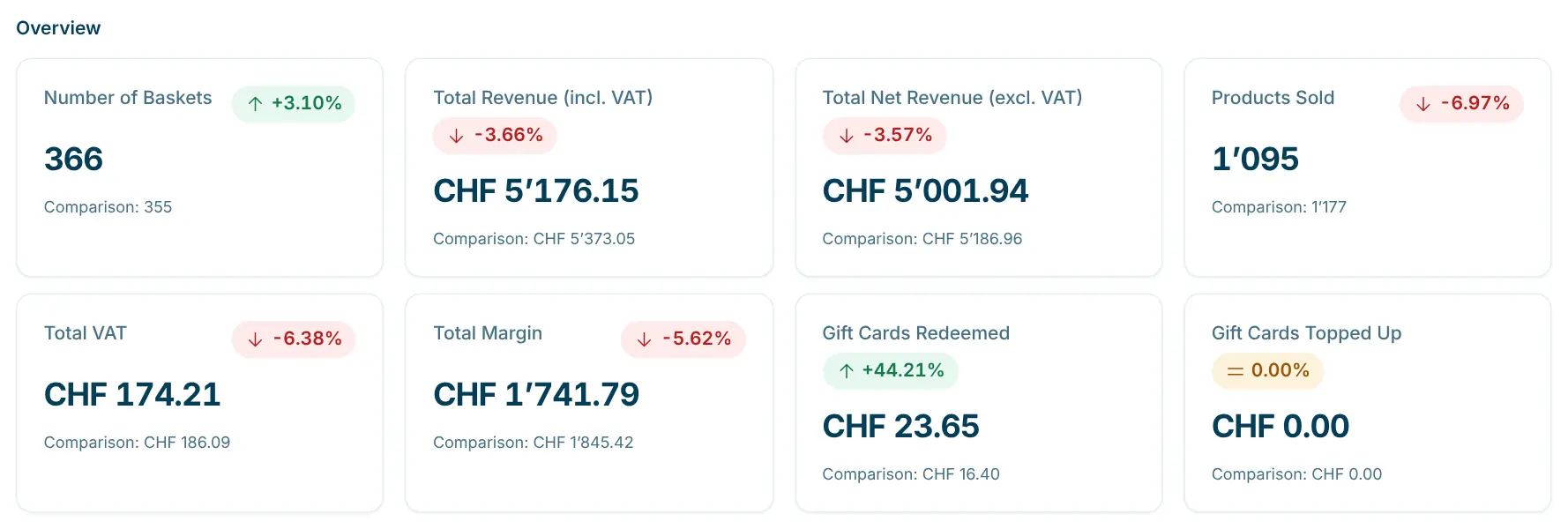
Statistics key figures in the Cloud Dashboard

September 2026

ImprovedCloud Dashboard

Temperature monitoring suggests thresholds

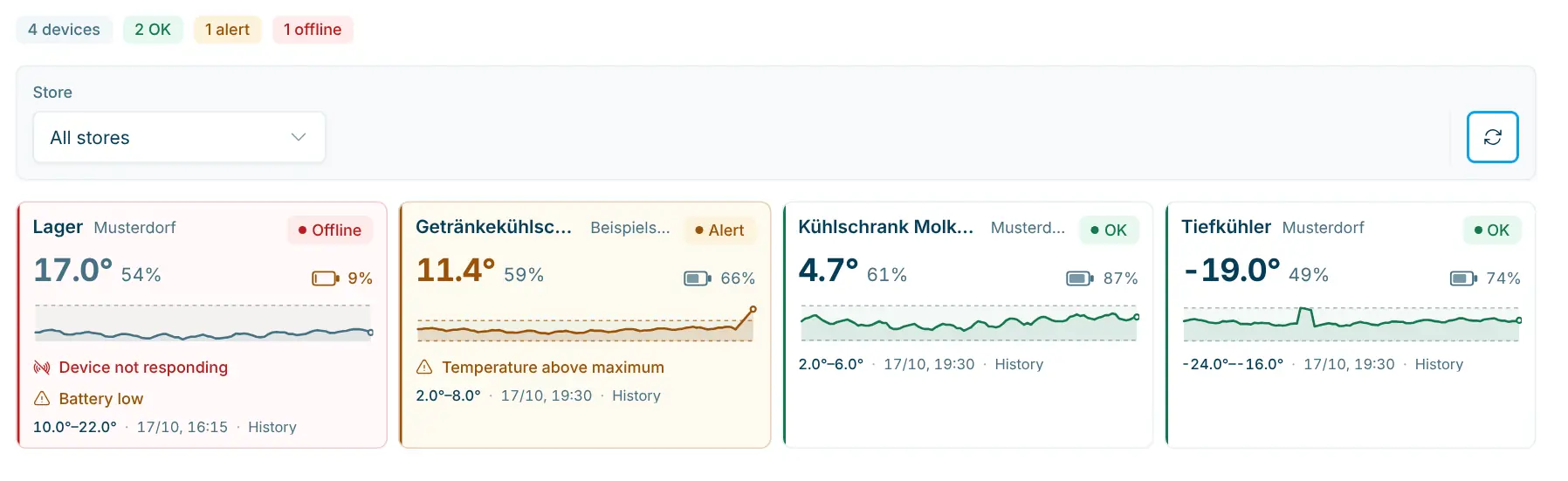
scango.ch suggests thresholds for your fridges and freezers from the last seven days of readings. All sensors and thresholds are in one clear table.

  • Suggestions from the 7-day history
  • All devices and thresholds in one table
  • You see the temperature history when acknowledging an alert
Temperature monitoring in the Cloud Dashboard

Want to see this in your store?

We’re happy to show you how scango.ch works in your store – with no obligation and a quote that fits you.