All plans
AI connection (MCP)
Connect your AI assistant, such as Claude, ChatGPT or Grok, securely to your scango.ch data.
The REST API connects scango.ch to your inventory system, ERP, accounting or online shop. A program authenticates with an API key, fetches orders and maintains products, suppliers, categories and stores.
Take products from your inventory system and keep prices up to date instead of entering everything twice.
Retrieve sales for a period – for accounting or your own reporting.
Each integration gets its own key, read-only or with write access. A deleted key stops working immediately.
The API is a REST interface: HTTPS requests in, JSON out.
Under Settings › Organization › API keys, with a description and the type “Read” or “Write”.
Send the key with every request in the Authorization header as a bearer token. The base URL is https://dashboard.scango.ch/api/v1.
Lists come back as data and meta, with up to 5000 entries per page and cursor paging. Amounts are in centimes.
The API does not push new orders; there are no webhooks. Your program asks at intervals.
These images come straight from the Cloud Dashboard. Admins and owners create and manage keys.
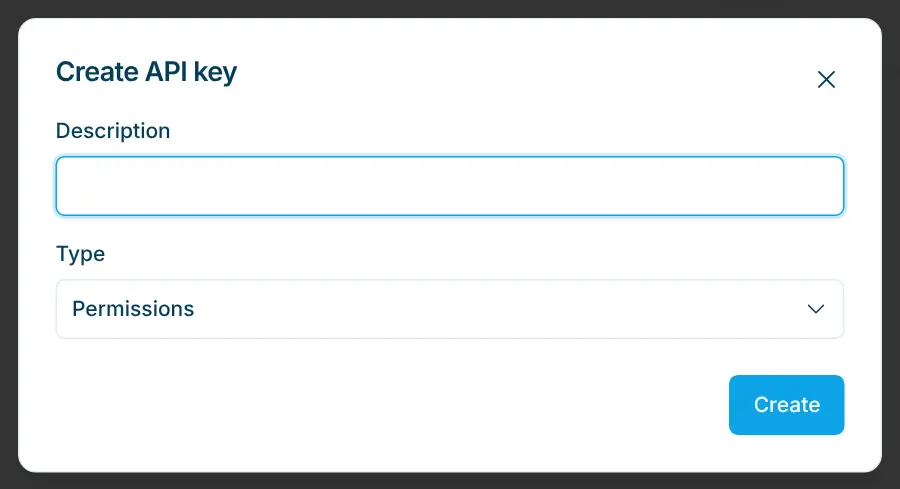
Create a key
A description such as “Accounting” or “Online shop” helps when tidying up later. “Read” only allows fetching; “Write” also allows creating, changing and deleting.
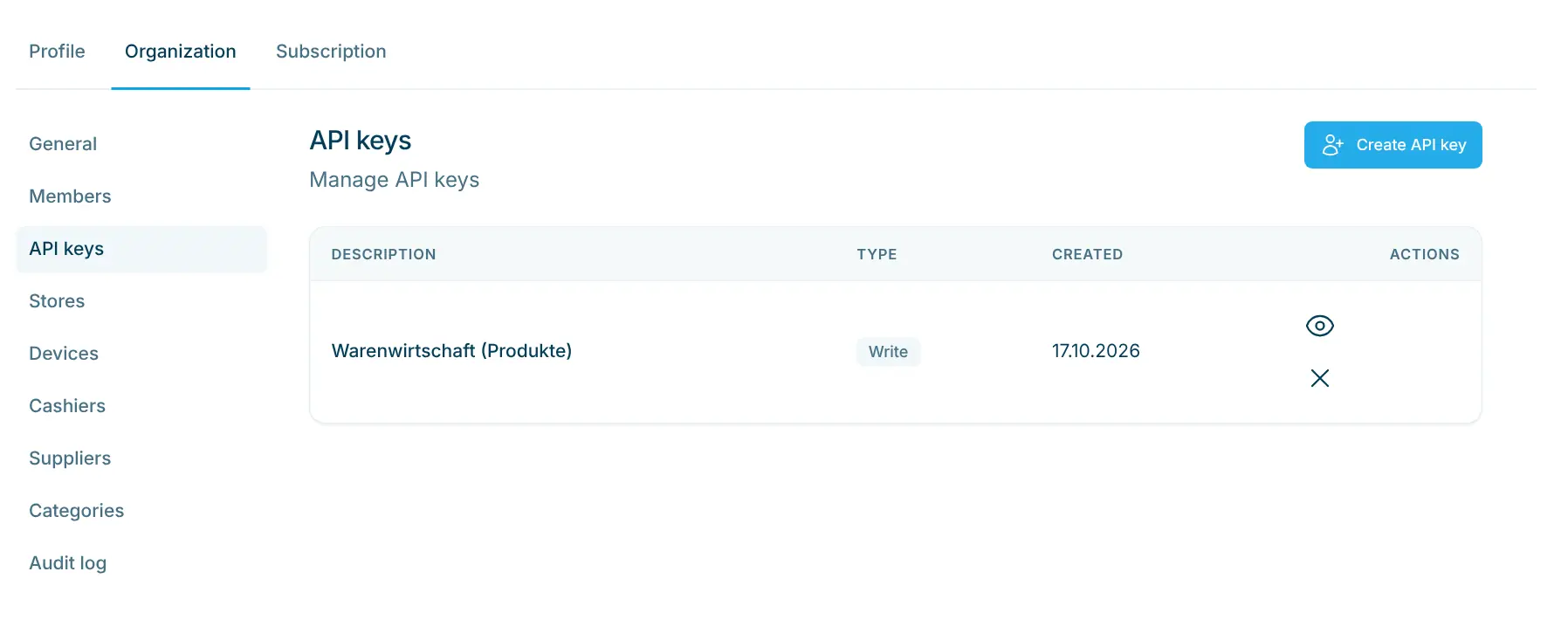
Key overview
The list shows description, type and creation date. The eye icon shows a key again, the cross deletes it – integrations using it stop working.
The API is meant for developers or your IT partner. The full reference with all endpoints and fields is on developers.scango.ch, where the OpenAPI description can also be downloaded. If you use Stellard Age age verification, identity logs and the block list can also be read and managed via the API.
All plans
Connect your AI assistant, such as Claude, ChatGPT or Grok, securely to your scango.ch data.
All plans
Prices, barcodes, VAT, deposit, age and visibility – maintain your assortment yourself.
Retail plan
One catalogue, multiple locations – visibility, stock and sales per store.
Nothing extra. API access is included in every plan, starting with the Basis plan at CHF 99.– per month.
On developers.scango.ch, with all endpoints, parameters, fields and examples. The API guide gets you started with a first example.
No. Orders can be listed for a period and fetched individually, but not created or changed.
No. The API does not push new orders. Query it at regular intervals.
Only use it on a server, never in the code of a website or app. Create a separate key per integration and choose “Read” when no data needs to change.
Admins and owners of your organization.

Happy to help. Sign up for free to get a first impression – or request a non-binding quote. I’m here if you have questions.
Tobias Kobelt · scango.ch