Developers
API
The scango.ch API connects your self-checkout to other programs, e.g. an inventory management system, an ERP, your accounting software or an online shop. The API is a REST interface: a program sends HTTPS requests and receives data in JSON format.
Access requires an API key, which Admins and Owners create in the dashboard. The complete technical reference with all endpoints and fields is available at developers.scango.ch.
What is the API for?
- Import products from an inventory management system and keep prices or stock up to date
- Fetch orders regularly, e.g. for accounting or your own reporting
- Synchronize suppliers, categories and stores with another system
- Manage identity logs and the block list if you use Stellard Age age verification
Creating an API key
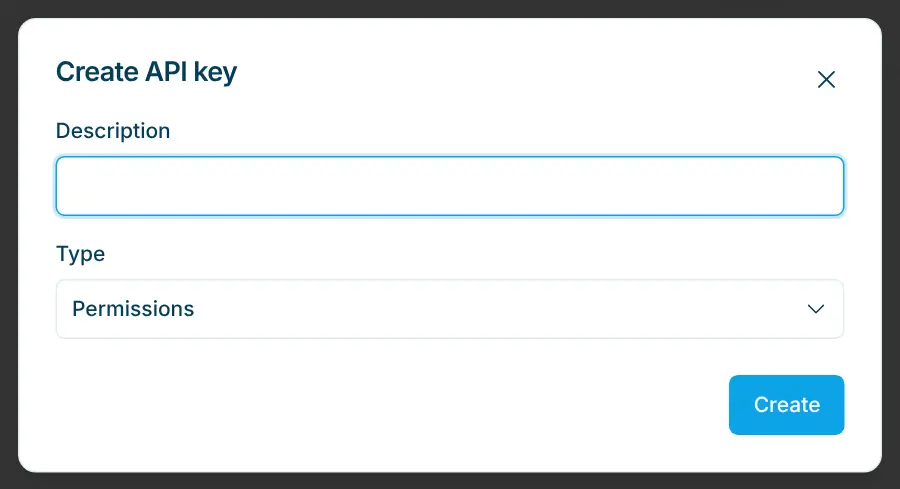
- Open Settings › Organization › API Keys.
- Click Create API key.
- Enter a Description that lets you recognize the key later, e.g. "Accounting" or "Online shop".
- Choose the Type: Read only allows retrieving data, Write also allows creating, changing and deleting.
- Click Create.
- The new key is displayed. Copy it with the copy icon and store it in the program that should access the API.
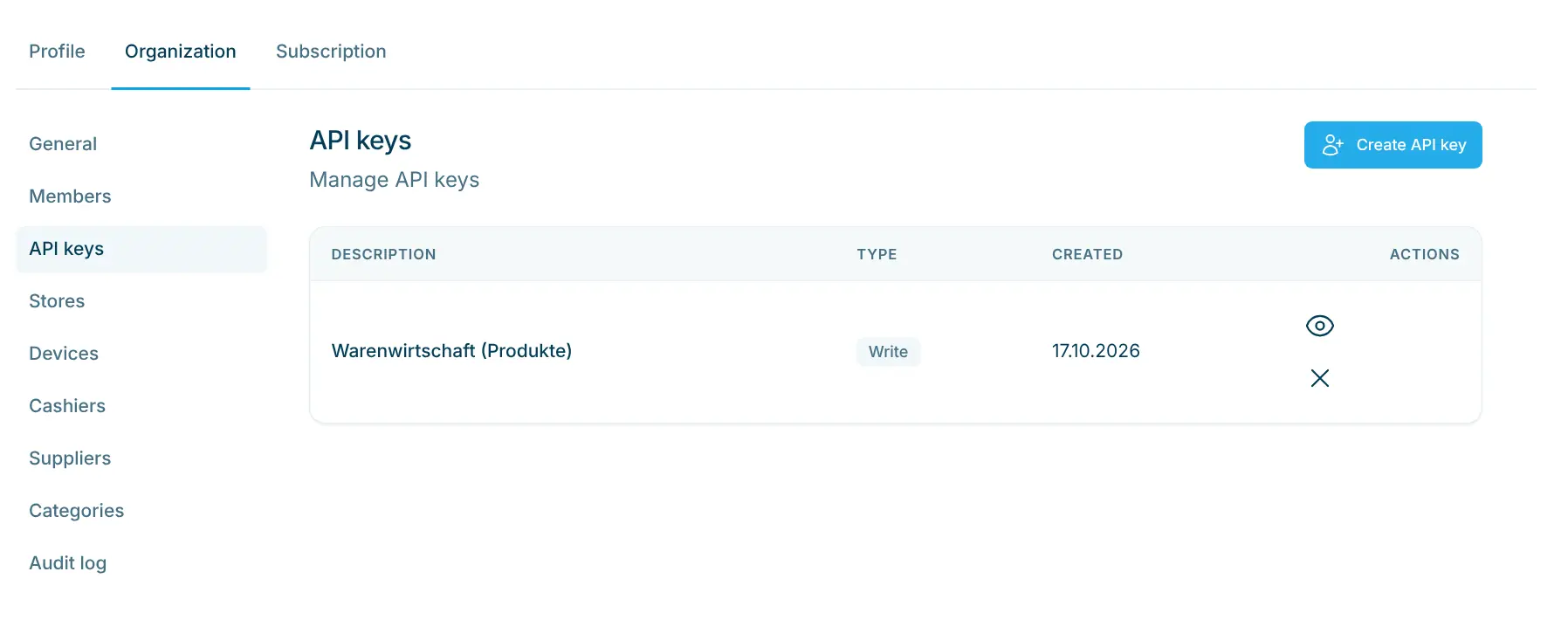
The list shows all keys with Description, Type (Read or Write) and the date under Created. With View API key, admins and owners can display and copy a key again later. Delete API key invalidates a key immediately; integrations using this key stop working.
Authentication
All requests go to the base URL:
https://dashboard.scango.ch/api/v1
Send the API key with every request in the Authorization header as Bearer <API key>. If the key is missing, invalid or deleted, the API responds with status 403. The same applies if you try to change data with a key of type Read.
Example: retrieve the first five products.
curl -H "Authorization: Bearer $SCANGO_API_KEY" \
  "https://dashboard.scango.ch/api/v1/products?limit=5"
The response contains the entries under data and information about the list under meta, e.g. limit and returned.
Resources
Resource | Path | With type Read | Additionally with type Write |
|---|---|---|---|
Products |
| list, search, retrieve individually | create, change, delete, upload and delete product image |
Orders |
| list for a period, retrieve individually | — |
Suppliers |
| list, retrieve individually | create, change, delete |
Categories |
| list, retrieve individually | create, change, delete |
Stores |
| list, retrieve individually | create, change, delete |
Identity logs |
| list and retrieve scans, list block list | create, change, delete blocks |
Key rules
- Amounts in cents: money amounts are integers in cents (Rappen),
120means CHF 1.20. - Lists: lists return
{ data, meta }. Uselimitto set how many entries a response contains (default 100, maximum 5000). - Paging: if
metacontains anextCursorvalue, fetch the next page with thecursorparameter. Keep paging as long asnextCursoris present; fewer entries thanlimitdo not mean the list has ended. - Orders: when listing,
startandend(date and time in ISO 8601 format) are mandatory. UsepaymentStateto filter by status (successful,pending,cancelled,timeout,failed). Deleted orders are omitted unless you passincludeDeleted=true. - No webhooks: the API does not report new orders on its own. Query it at regular intervals.
- Protect your keys: an API key grants access to your organization's data. Use it only on a server, never in the code of a website or app, and do not share it. Create a separate key for each integration and choose Read if no data needs to be changed.
Full documentation
All endpoints, parameters, fields and further examples are in the developer documentation at developers.scango.ch. The OpenAPI description is available for download at developers.scango.ch/openapi/scango.json.