Cloud Dashboard
Price Tags
Under Price Tags you create shelf and product labels directly from your product data: select products, set the format and content, and print them as a PDF. Prices, suppliers and deposits are taken automatically from the product data.
All roles from Employee upwards have access; the feature is included in the Retail and Pro plans.
The printers themselves are not part of the scango.ch service. We do not provide support for the hardware or printer settings. Proven printers that the layouts are designed for are listed under Useful accessories.
Overview
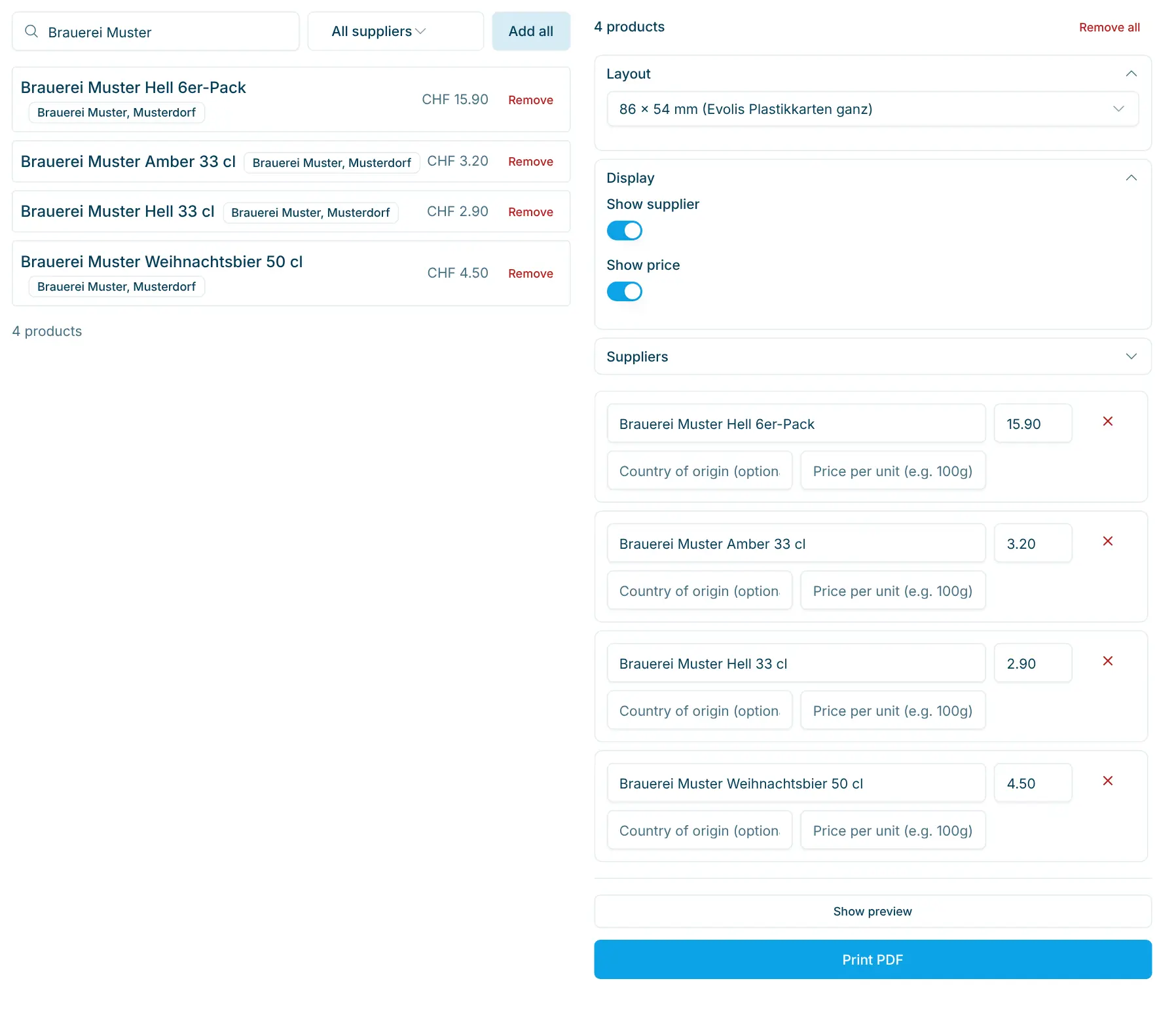
The page has two parts:
- On the left, the Product Search: find products and add them to the queue.
- On the right, the Print Queue: all products you want to print labels for, with the Layout, Display and Suppliers settings and the details per product.
Adding products
- In the search field Search product, supplier or barcode..., enter a product name, supplier or barcode, or choose a supplier in the supplier filter to show its products.
- Click Add next to a result. Add all adds all results shown at once.
- Remove products you added with Remove, in the queue with ✕, or all at once with Remove all.
With a barcode scanner: place the cursor in the search field and scan a product's barcode. The product goes straight into the queue. This way you can quickly collect all products whose label needs replacing while walking through the shop.
The queue stays saved in this browser, even when you leave the page. The next time you open it, name, price, supplier and deposit are taken from the current product data; your own changes in the queue are kept.
Choosing a layout
In the Layout section, choose the label format. The format names are shown in German in the dashboard in all languages.
Layout | Printer and material | Content |
|---|---|---|
86 x 54 mm, Evolis Plastikkarten ganz (whole plastic card) | Evolis card printer, plastic card in credit-card format; one card per page | Product name, country of origin, supplier, price, price per unit and your organisation's logo |
86 x 54 mm, Evolis Plastikkarten 3-geteilt (card split in three) | Evolis card printer; the card is divided into three strips (three tags per card) | Product name, country of origin, supplier, price and price per unit (no logo) |
50 x 33 mm, Regallabel (shelf label) | Brother label printer, roll DK22223 (50 mm wide) | Product name, country of origin, supplier, price, price per unit, deposit and the barcode as a QR code |
50 x 20 mm, Produktlabel Preis und Code (product label with price and code) | Brother label printer, roll DK22223 (50 mm wide) | Product name, optionally the declaration, price and the barcode as a QR code; no supplier or origin |
The QR code on the Brother labels contains the product's barcode. The logo on the Evolis card is the Organization Logo from your organisation settings (see Settings).
Display and suppliers
In the Display section you decide what appears on the label:
- Show supplier: the supplier's name and city.
- Show price: the sales price (and, if entered, the price per unit).
- Show declaration: only for the 50 x 20 mm layout. Shows the product's declaration and adds the Declaration field in the queue.
As soon as products with a supplier are in the queue, the Suppliers section appears. There you can adjust the Name and City of each supplier for printing, e.g. to use a shorter name.
Details per product
Each product in the print queue has its own fields. Changes only apply to the label, not to the product itself.
Field | Meaning |
|---|---|
Product name | Text on the label; pre-filled with the product name, e.g. shorten it for small labels. |
Country of origin (optional) | Printed below the name, e.g. "Switzerland". |
Price per unit (e.g. 100g) | Unit price reference, e.g. |
Declaration | Only for 50 x 20 mm with the declaration turned on; pre-filled from the product. |
Price | Sales price in CHF; pre-filled from the product. |
Preview and printing
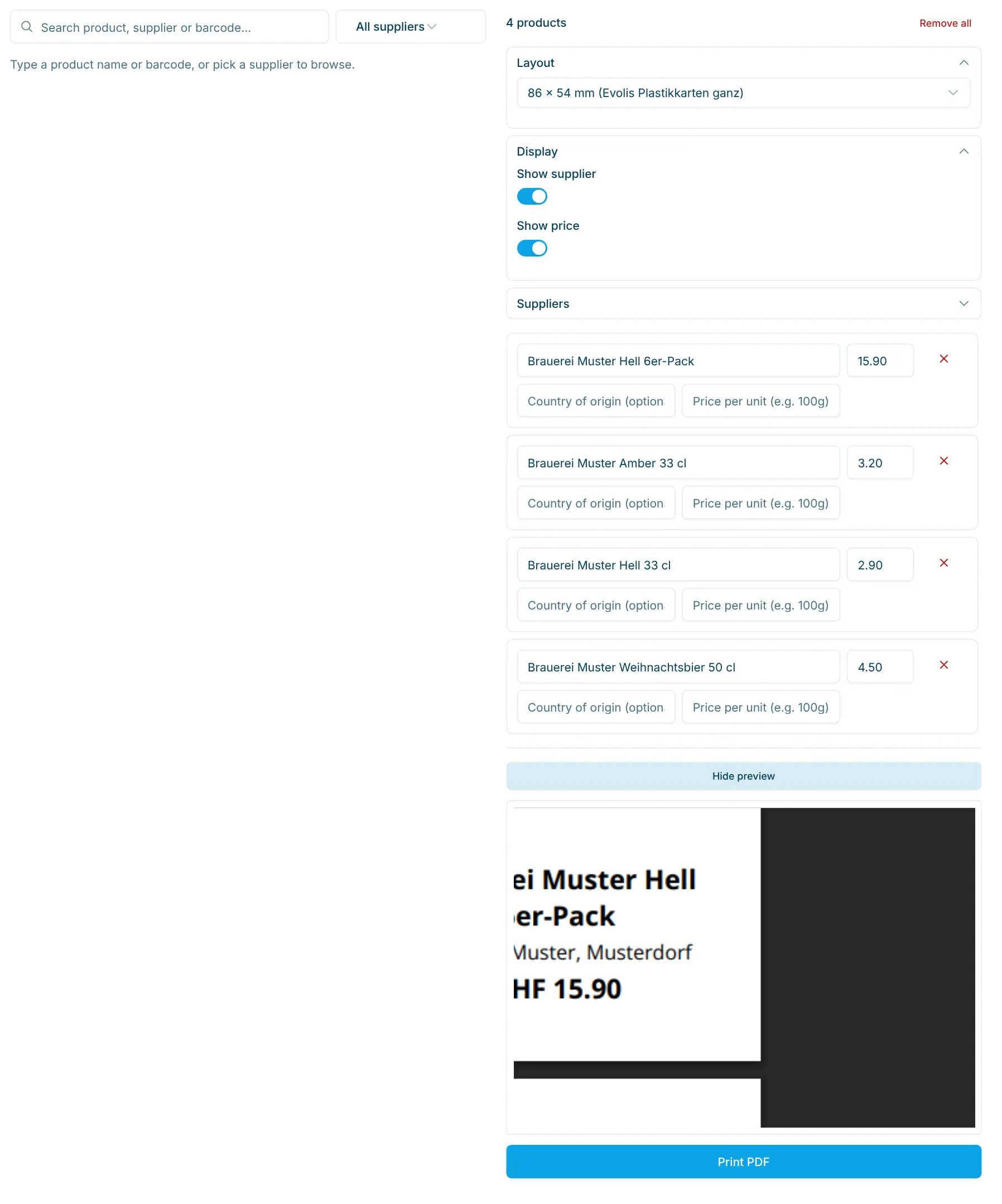
- Click Show preview. The preview shows the labels exactly as they will be printed and updates with every change. Hide preview closes it again.
- Click Print PDF. The PDF (
pricetags.pdf) opens in a new browser tab. - Print it from there on the matching printer. In the print dialog, choose the label or card format and print without scaling (100 %).
Tips
- If you change a price on the product, it is up to date automatically the next time you open Price Tags. Then reprint the affected labels.
- For shelf labels with a deposit, use the 50 x 33 mm layout: it prints the deposit automatically if one is set on the product.
- For electronic shelf labels (ESL) there is a separate feature that is enabled on request.