Retail plan
Multi-store management
One catalogue, multiple locations – visibility, stock and sales per store.
Shelly wireless sensors measure temperature and humidity in fridges, freezers or the storeroom. If a value stays out of range too long or a sensor stops responding, the dashboard alerts your team by email, SMS or push notification.
scango-ch
Temperature too high: Drinks fridge (Musterdorf) 4.3 °C (target 8.0 °C)
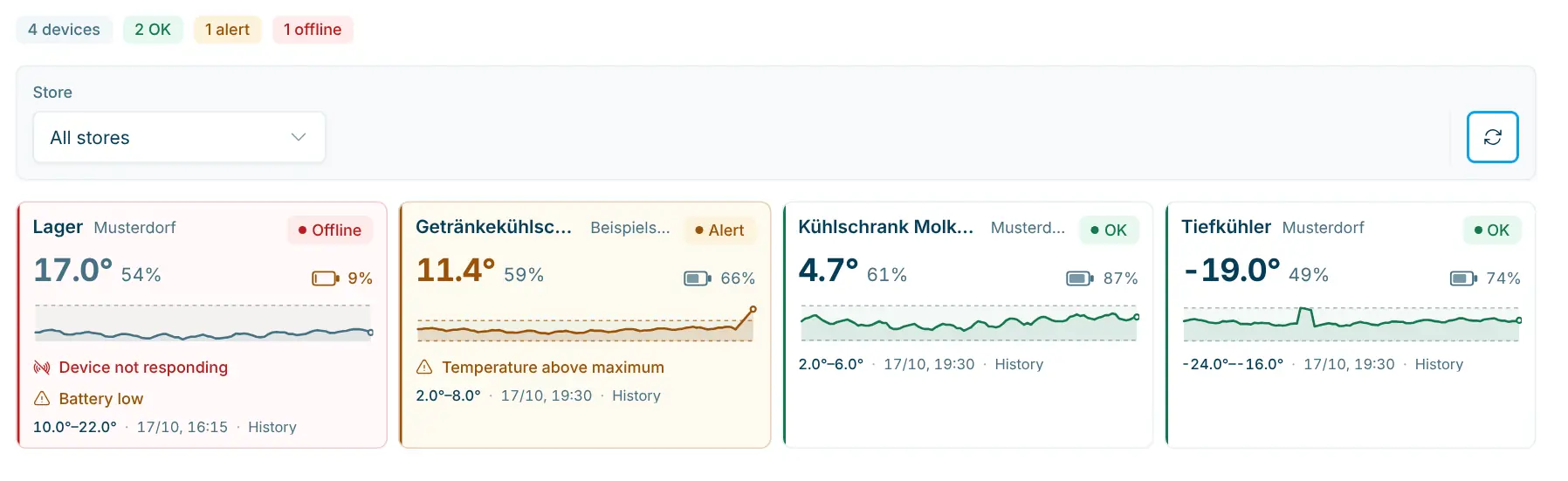
Temperature, humidity and battery per sensor, with the status OK, Alert or Offline.
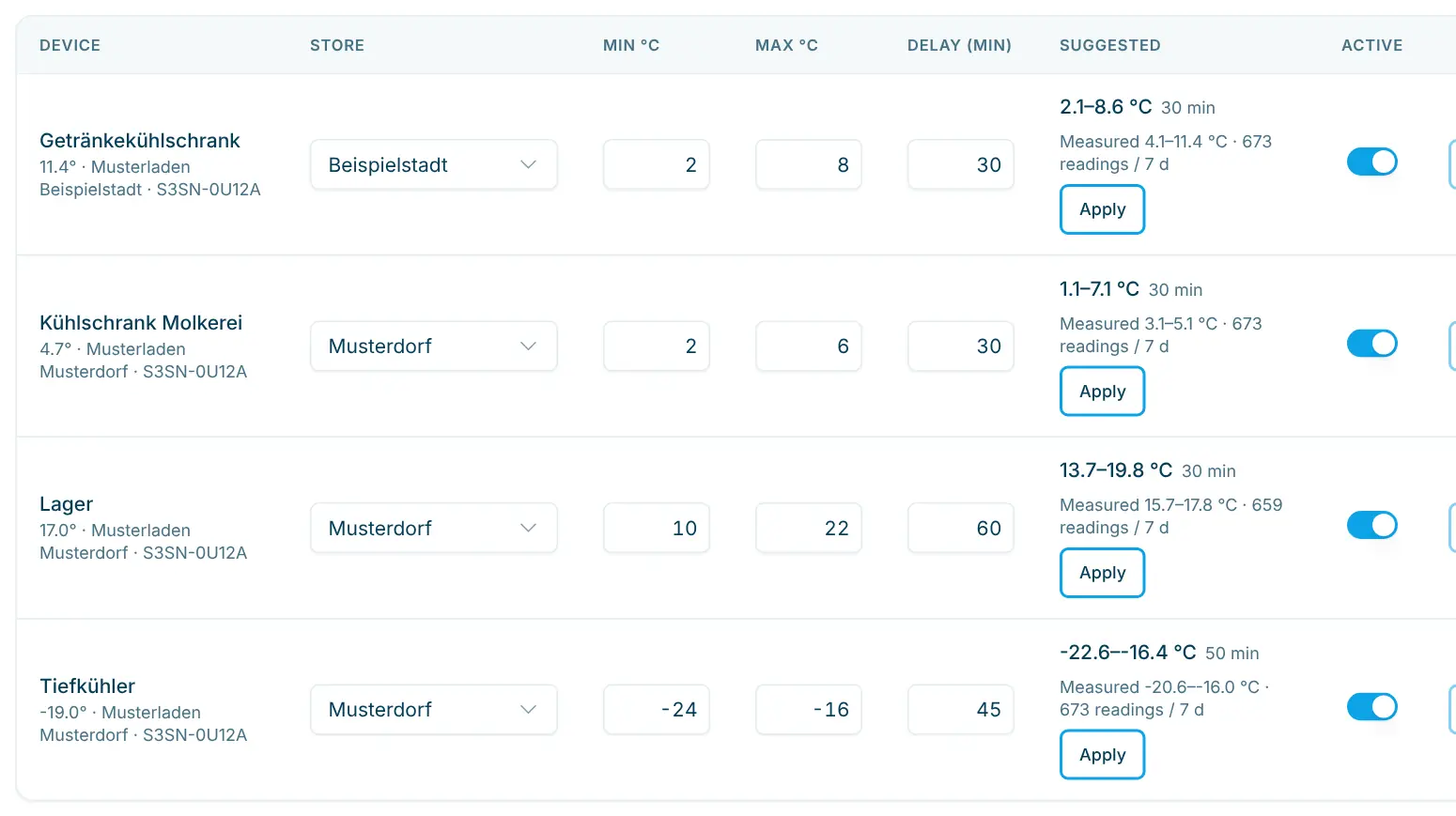
The alert delay waits until a value has really been out of range for too long. The dashboard suggests suitable values from the readings.
Alerts by email, SMS or ntfy, with separate recipients per store if you like. An acknowledge link stops the reminders.
Monitoring is part of every Pro plan. You buy the sensors separately; admins handle the settings.
Add Shelly temperature sensors in the Shelly Smart Control app; the Shelly BLU H&T ZB is recommended. It needs a gateway.
Enter server URI and Cloud Key under Settings › Organization › Monitoring and click “Sync devices”. Rooms named after the store’s location are assigned automatically.
Min °C, Max °C and an alert delay of 5 to 180 minutes per sensor. After a few days, apply the suggestions.
Turn on email, SMS or ntfy, enter recipients and check with a test message.
These images come straight from the Cloud Dashboard, with test data.
Overview
Each sensor as a card with temperature, humidity, battery and a small history. The top line shows how many devices are OK, in alert or offline; the page refreshes every 5 minutes.
Thresholds and suggestions
Min, max and delay per sensor. Suggestions are based on up to 7 days of readings and can be set with “Apply”.
History and alerts
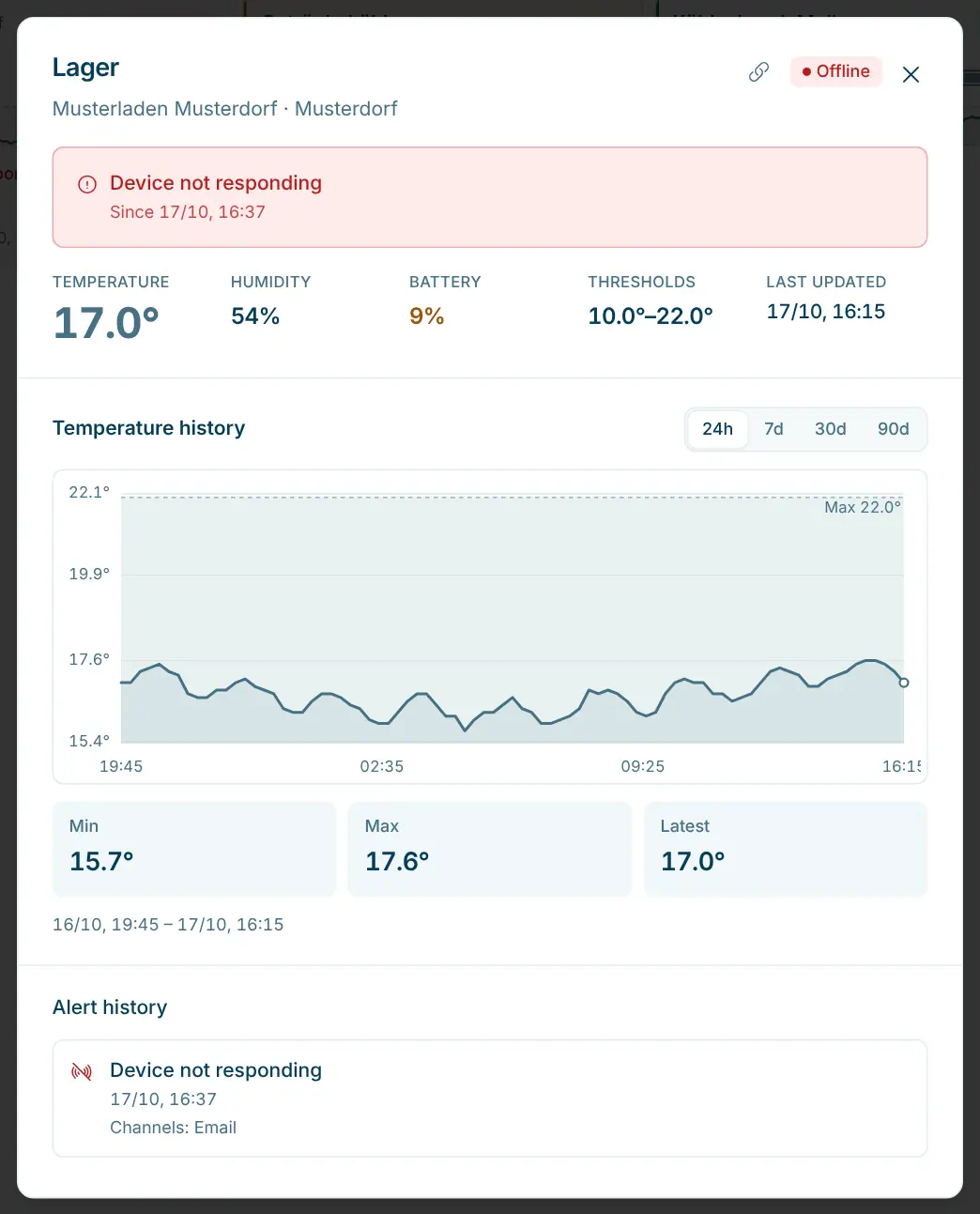
Temperature history from 24 hours to 90 days with lowest, highest and latest value. Below it, the alert history with the channels used.
For unattended stores with chilled and frozen goods: if a fridge fails at night, nobody notices until the next visit. Monitoring runs in the same dashboard as orders and stock. All roles from Employee see the overview; only admins see the settings.
Retail plan
One catalogue, multiple locations – visibility, stock and sales per store.
Shelly temperature sensors set up in your Shelly Cloud. The Shelly BLU H&T ZB is recommended; it needs a gateway, such as the Shelly BLU Gateway or another Shelly Plus, Pro, Gen3 or Gen4 device.
It is included in the Pro plan for CHF 199.– per month – you buy the Shelly sensors and the gateway separately. Email alerts are free. SMS cost CHF 0.10 per 160-character SMS and are added to your next invoice; test SMS are free. You set a monthly budget with notifications at 50, 75 and 100 % in the settings.
The temperature rises briefly. The alert delay (default 30 minutes) keeps this from triggering an alert. The suggested delay is the longest defrost phase plus 5 minutes, at least 30 minutes.
Every 30 minutes as long as an alert is not acknowledged, once a day for low battery. The acknowledge link in the message stops the reminders for that incident.
Yes. Under “Recipients per store” you set separate addresses and numbers. They replace the organization default for that store.
An app for push notifications on phone or desktop. Your team subscribes to a channel (topic) and receives the alerts there.

Happy to help. Sign up for free to get a first impression – or request a non-binding quote. I’m here if you have questions.
Tobias Kobelt · scango.ch