FeaturePro plan
Supplier dashboard
Suppliers in a shop-in-shop see their own sales in the browser: revenue, top products and best selling times, also per store. You send them a link – no login and no access to your dashboard needed.
Why it matters
Keep suppliers informed without sending lists
One link per supplier
Each supplier gets their own link with an expiry date. They see the sales of their products, not your whole store.
Restock with a plan
The “Analytics” tab shows stock recommendations and peak times per store – useful for planning quantities and delivery times.
Figures to work with
Export as CSV or Excel. If you like, an email with the day’s sales as an Excel file is sent every day too.
How it works
How to share the dashboard
The supplier dashboard is part of the Pro plan and still marked as beta.
1 Switch it on
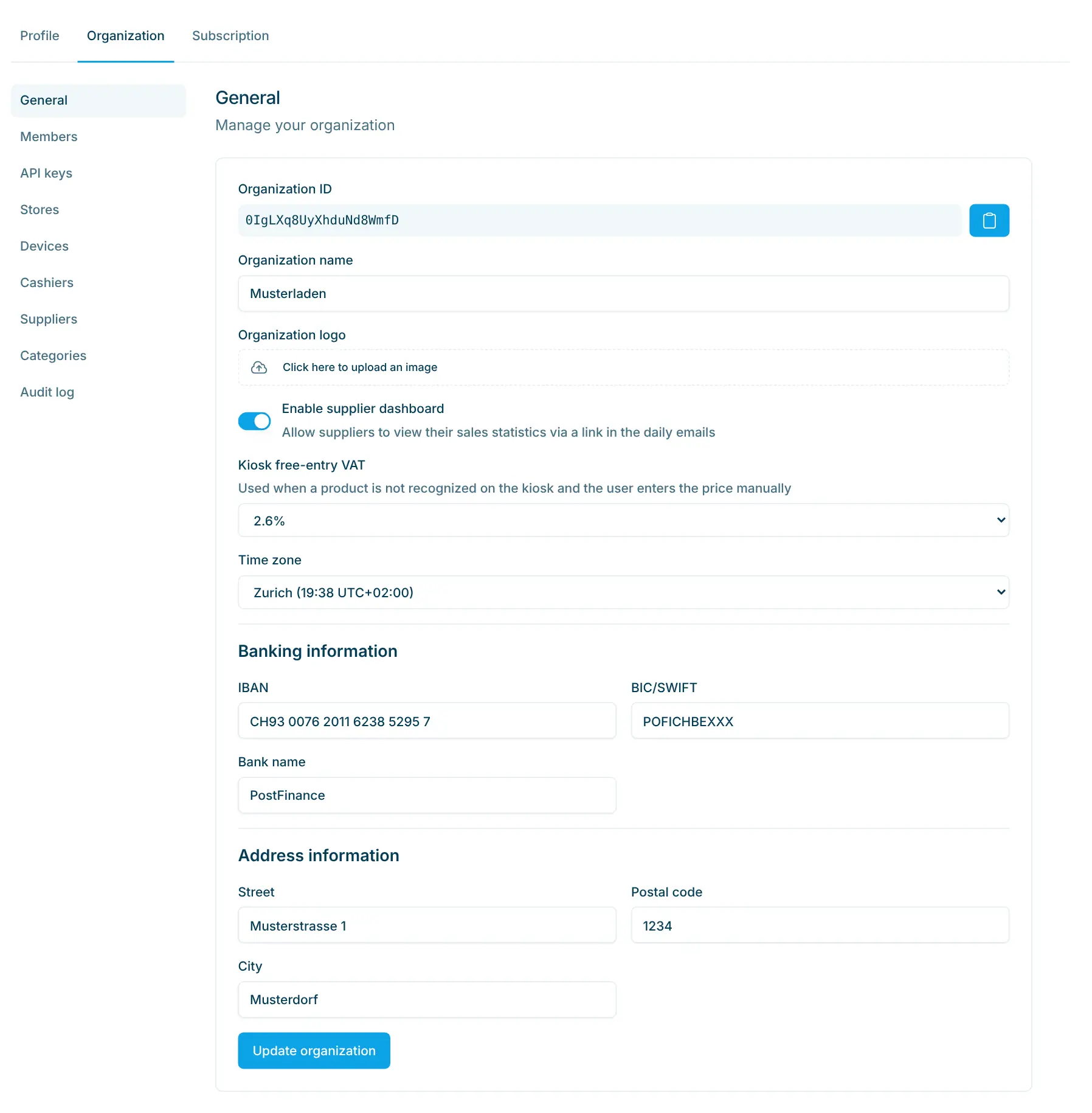
Under Settings › Organization › General, turn on “Enable supplier dashboard”.
2 Create a link
On the supplier, choose “Generate dashboard link” and set the validity period – 24 hours up to 1 year, or “No expiration”.
3 Send the link
The link is copied to your clipboard. The supplier opens it in the browser; when it expires, you create a new one.
4 Report daily
With “Daily email”, the supplier receives the sales of the last 24 hours at the chosen time, with a link to the dashboard.
In the dashboard
Setting it up in the Cloud Dashboard
Three settings are all it takes. These images come straight from the Cloud Dashboard, with test data.
app.scango.ch
- 1
Enable it for the organization
The “Enable supplier dashboard” switch lets suppliers view their sales statistics via a link.
app.scango.ch - 2
Create a link for a supplier
On the supplier’s detail page, top right: “Generate dashboard link”. 7 days of validity are preselected.
app.scango.ch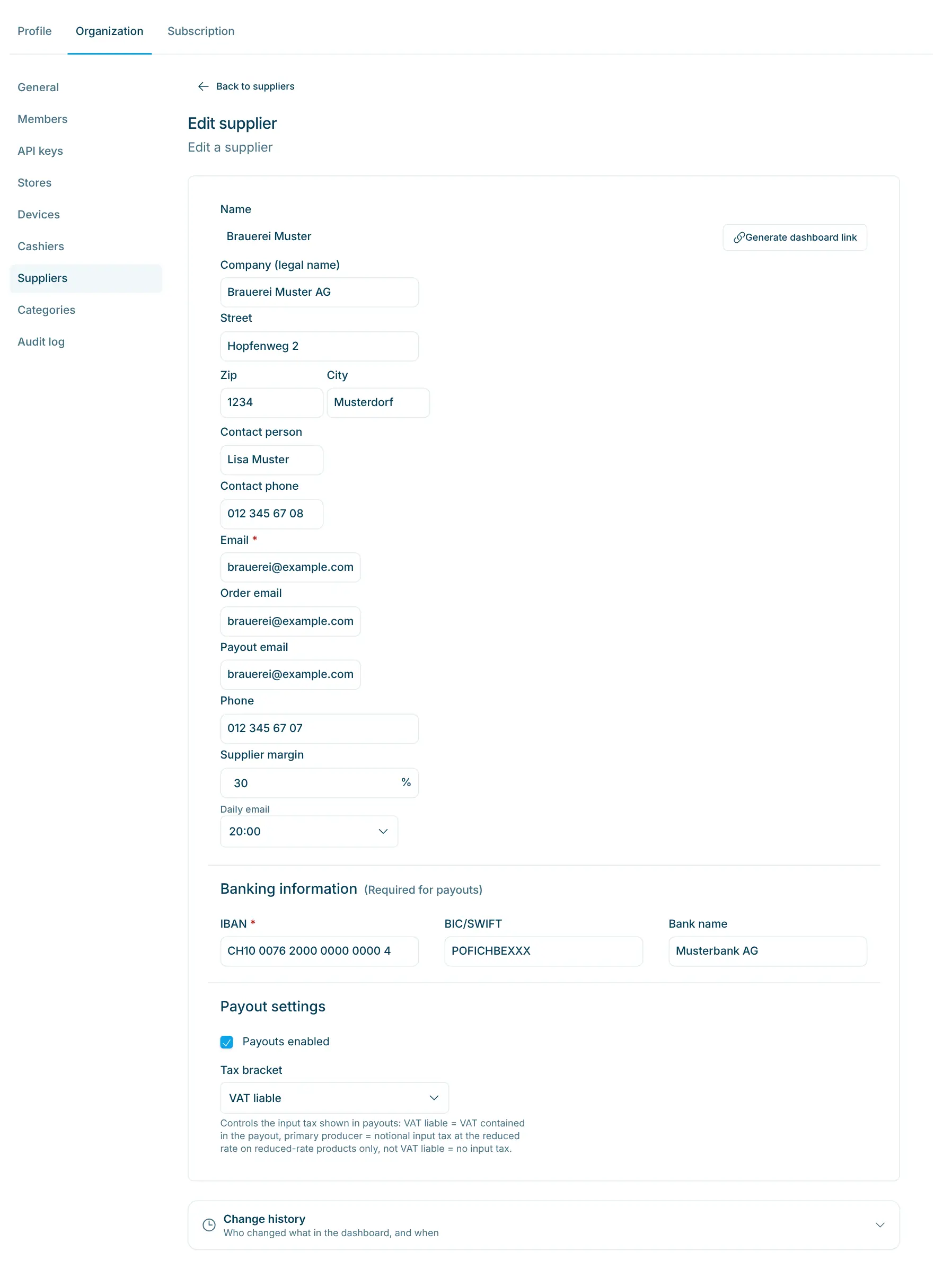
- 3
Choose the daily email
In the “Daily email” field, pick the time for the sales report or “No email”. Without sales in the last 24 hours, no email is sent.
app.scango.ch - Read the full guide
Good to know
What your suppliers see
For stores with several producers under one roof: village shops with regional suppliers, specialty stores or shop-in-shop spaces. Suppliers see what sells when and where, and can restock in a more targeted way. You settle their share with supplier payouts in the same plan.
- Overview
- revenue, items sold, number and average value of sales, top products, best times
- Timeline
- individual sales or by hour
- Stores
- comparison by store
- Analytics
- distributions, frequent combinations, stock and delivery recommendations
- Filters
- period up to 2 months back, store
- Export
- CSV or Excel
- Plan
- Pro, CHF 199.–/month
- Setting
- “Enable supplier dashboard”
- Status
- beta
In the supplier dashboard
Requirements
scango.ch
More features
Retail plan
Multi-store management
One catalogue, multiple locations – visibility, stock and sales per store.
Retail plan
Statistics
Revenue, margin and VAT by product, store, supplier and payment – including CSV.
All plans
Product management
Prices, barcodes, VAT, deposit, age and visibility – maintain your assortment yourself.
Frequently asked questions
Does the supplier need a login?
No. They open the link in the browser. The link is the access – so only share it with the supplier.
Does the supplier see my whole store?
No, only the sales of their own products. They have no access to your Cloud Dashboard.
How long is a link valid?
As long as you choose when creating it: 24 hours, 3, 7, 14 or 30 days, 1 year or no expiration. The link in the daily email is valid for 14 days.
How far back do the figures go?
Up to two months. The supplier filters by period and store.
Which plan do I need?
The Pro plan for CHF 199.– per month (up to 10 stores). The supplier dashboard is still marked as beta there.

Hi, I’m Tobias.
Happy to help. Sign up for free to get a first impression – or request a non-binding quote. I’m here if you have questions.
Tobias Kobelt · scango.ch