FeatureAdd-on
Stellard Age age verification
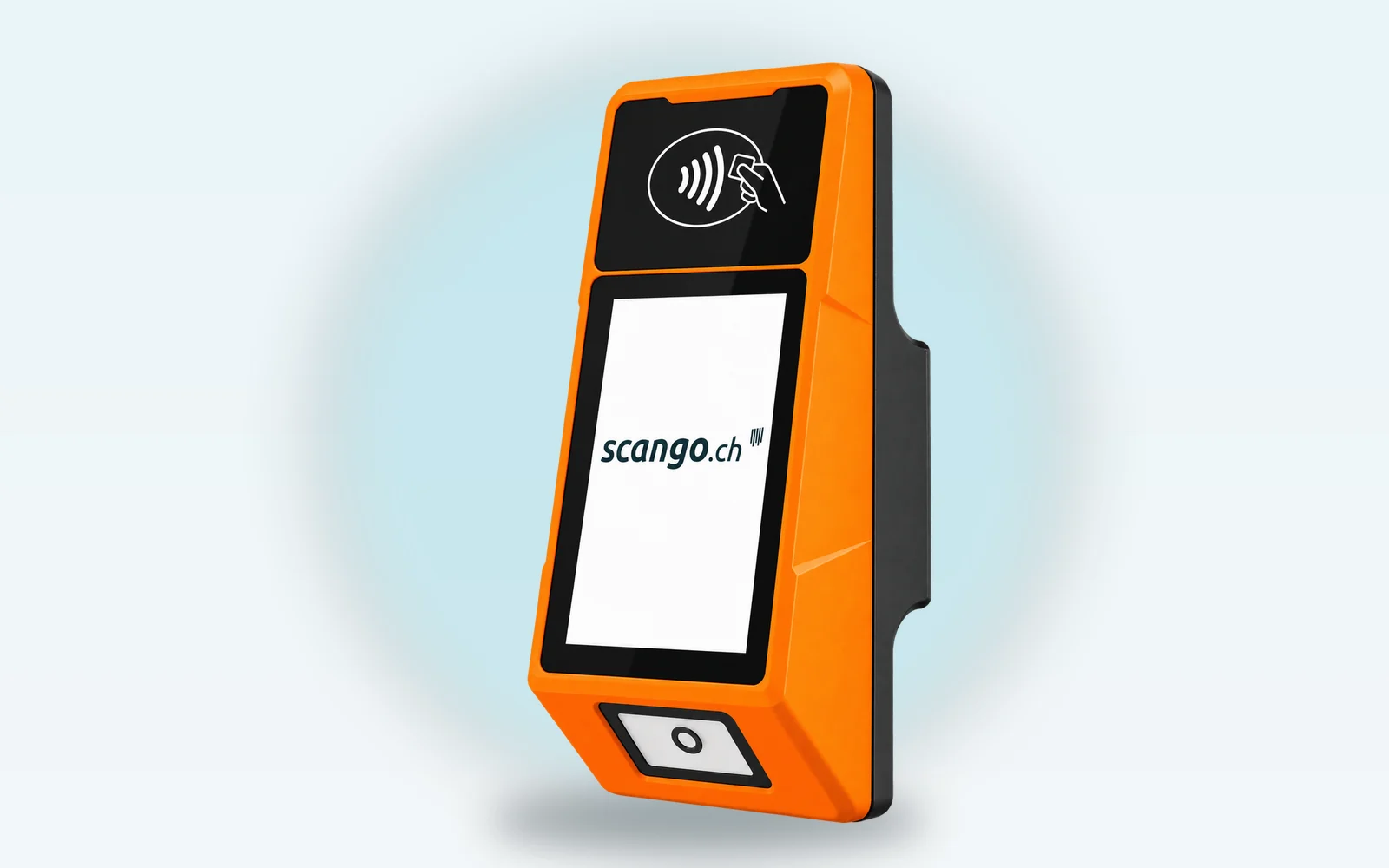
The Stellard device Age hangs next to the door or the fridge: customers place their ID underneath, the device checks the age and only releases the lock if it is high enough. This lets you sell alcohol or tobacco without staff on site.

Why it matters
Sell alcohol without standing at the door
Age on the ID
Identity card, driving licence or passport. The age limit is 18; scango.ch sets a different one on request.
Door or fridge stays shut
A relay switches your lock, whether door opener or magnetic lock. Without a valid scan, nothing opens.
Every scan in the dashboard
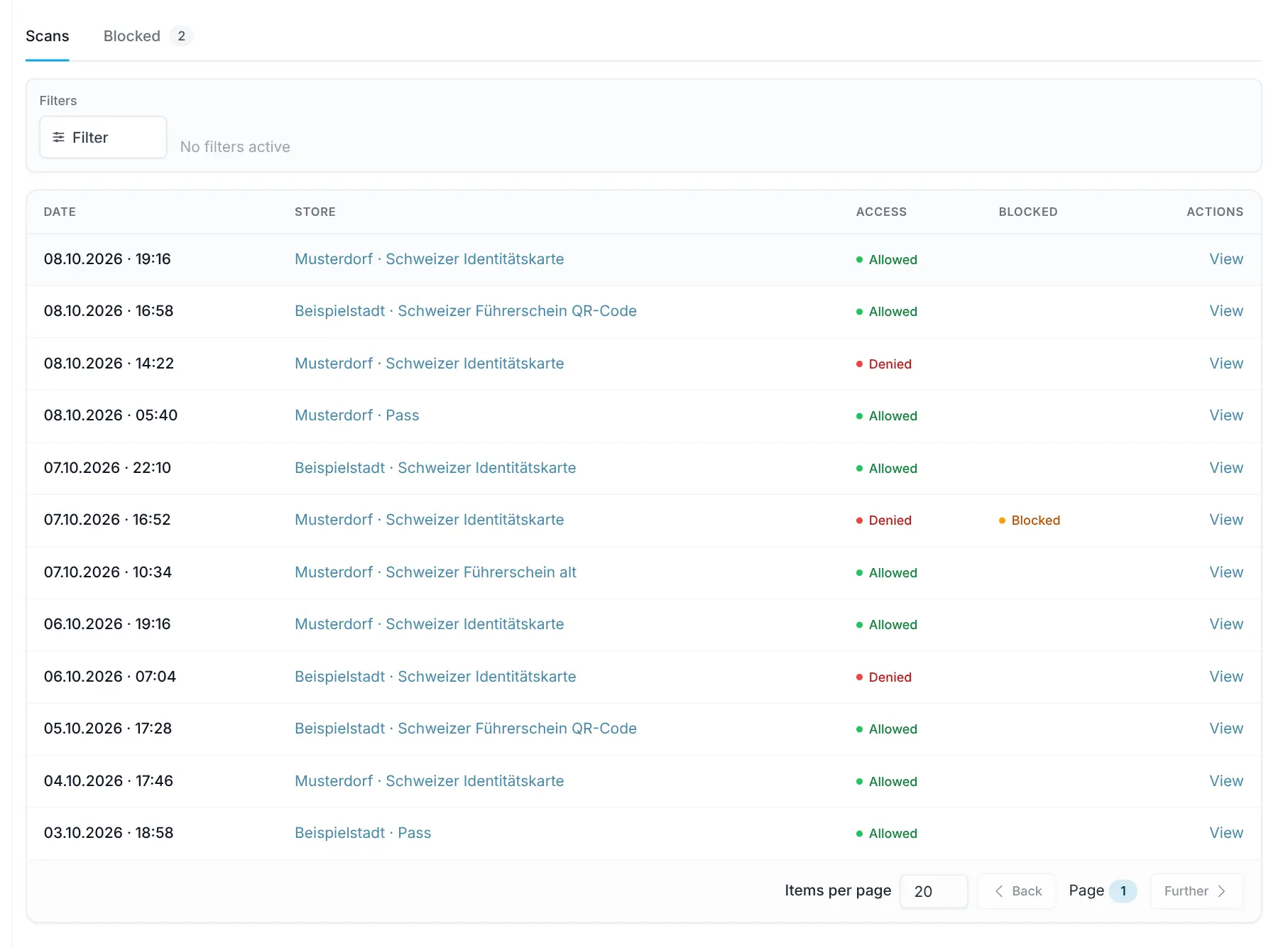
The identity logs list every scan as “Allowed” or “Denied”. You block individual IDs by date of birth.
How it works
What happens during a scan
In everyday use, the device usually stays plugged in and switched on around the clock.
1 Place the ID
The customer places the ID under the device with the machine-readable zone facing up.
2 Check age and blocks
Stellard Age checks the age and whether the ID is on the block list.
3 Release or not
If the age is sufficient, the relay switches briefly and the lock opens. Otherwise the door stays shut.
4 Log it
The scan appears in the identity logs with date, store, ID type and access.
In use
What it looks like on site
Next to the cellar door at Dorla (picture above) or right at the fridge: where the device goes depends on the store.

In the dashboard
Identity logs and block list
The page is enabled for organizations using Stellard Age; admins and owners have access. These images come straight from the Cloud Dashboard, with test data.
app.scango.ch
- 1
Every scan
Date, store, ID type and access “Allowed” or “Denied”. Filter by period, location, source and access.
app.scango.ch - 2
Block list
The device rejects blocked IDs even if the age is right. Block directly from a scan or manually with name, date of birth and reason.
app.scango.ch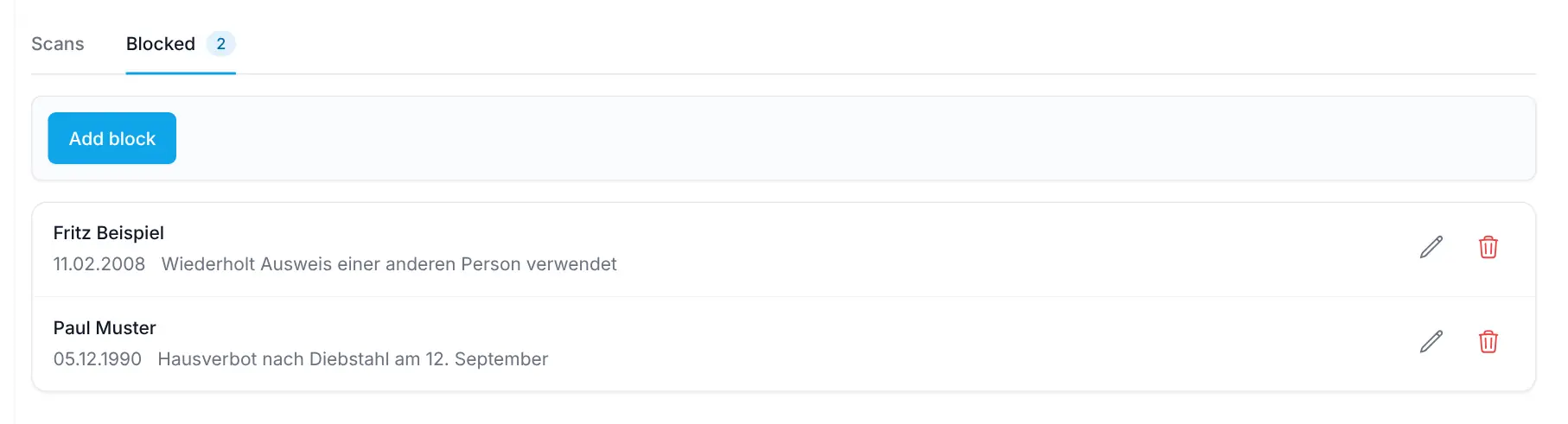
- Read the full guide
Good to know
What the device checks – and what it doesn’t
Stellard Age checks the age on the ID, not whether the ID is genuine. Responsibility for selling alcohol and tobacco stays with you as the operator. Separately, the checkout has the setting “Product is age restricted”, where your staff approve the payment. The device must be installed protected from weather and direct sunlight.
- Stellard device Age
- CHF 1’890.– one-time
- Stellard Age Standard
- CHF 29.–/month & ID scanner
- Dimensions
- H 25 × W 16.5 × D 9 cm
- Display
- 7 inch, touchscreen
- Network
- Wi-Fi or Ethernet
- IDs
- machine-readable (MRZ) – identity card, passport and driving licence, incl. the new Swiss driving licence with QR code
- Lock
- via relay, with its own power supply
- Mounting
- by you or an electrician
Cost (excl. VAT)
Device
Installation
scango.ch
More features
All plans
Product management
Prices, barcodes, VAT, deposit, age and visibility – maintain your assortment yourself.
Pro plan
Temperature monitoring
Shelly sensors, thresholds and alerts – in the Pro plan, sensors sold separately.
Messagesnow
scango-ch
Temperature too high: Drinks fridge (Musterdorf) 4.3 °C (target 8.0 °C)
Frequently asked questions
What does Stellard Age cost?
The Stellard device Age costs CHF 1’890.– one-time, the Stellard Age Standard plan CHF 29.– per month and ID scanner, both excl. VAT and alongside your scango.ch plan.
Does the device check whether the ID is genuine?
No. Stellard Age checks the age on the ID, not its authenticity. Responsibility for the sale stays with you.
Which locks are suitable?
Door openers that open when current flows: the device briefly closes the circuit. With magnetic locks it interrupts the circuit. We clarify with you which variant fits. The lock’s power supply is not part of the device; you or an electrician handle the installation.
Can I block someone?
Yes. In the dashboard you block an ID from a scan or manually. Blocking works by date of birth, so every ID with that date is rejected – even if the age is right.
Can I change the age limit?
The default is 18. scango.ch sets a different limit on request; there is no setting for it in the dashboard.
Do I need the device for age-restricted products at the checkout?
No. Your staff approve products with “Product is age restricted” at the checkout using the age check QR code. Stellard Age secures the door or fridge instead.

Hi, I’m Tobias.
Happy to help. Sign up for free to get a first impression – or request a non-binding quote. I’m here if you have questions.
Tobias Kobelt · scango.ch