FeatureAll plans
Card payment
Customers pay by card or TWINT on the Freika PAX IM30 payment terminal next to the kiosk. The kiosk sends the amount to the terminal over the internet, so nobody types anything in.

Why it matters
Payment without staff
Card or TWINT
Customers pay at the terminal the way they do in any other shop. You don’t count a till or keep change.
No amount to type
The kiosk hands the amount straight to the terminal, so there is nothing to mistype.
Every payment in the dashboard
Each purchase is listed under “Orders” with its status and payment brand, for example TWINT, Visa or Postcard.
At the kiosk
How your customers pay
Four steps from a full basket to the receipt.
1 Add the items
Customers scan their products or pick them on the screen.
2 Tap to pay
One tap on “Pay CHF … with card / TWINT”. The kiosk shows: “Please pay for your purchase at the card reader.”
3 Pay at the terminal
The terminal already has the amount. Customers pay by card or TWINT. If they cancel, they are taken back to the basket.
4 Take the receipt
The kiosk confirms with “Thank you for your purchase!” and shows the receipt as a QR code. With receipt printing switched on, it can print it too.
In the dashboard
Trace every card payment
Which terminal belongs to which kiosk and how each payment ended: you see it in the cloud dashboard. These images are taken straight from it.
app.scango.ch
- 1
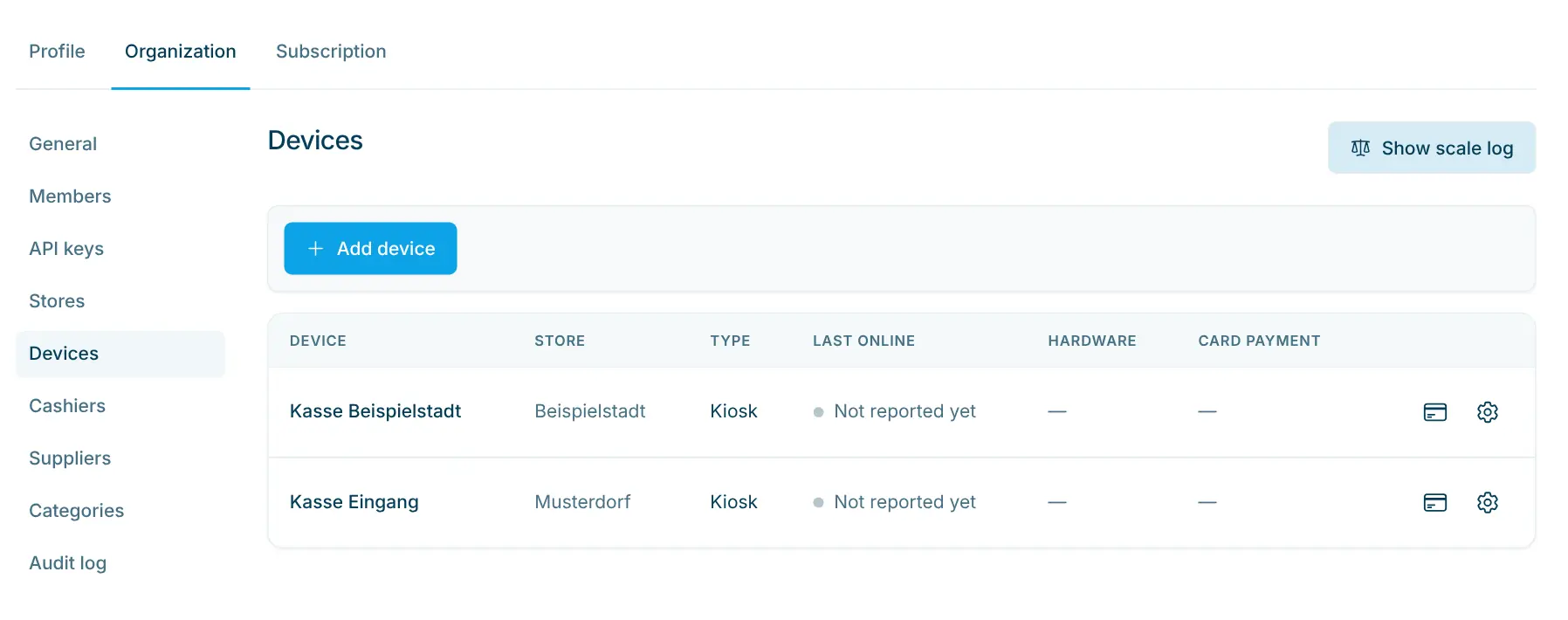
Assign a terminal to the kiosk
Under “Devices” every kiosk is listed with its store. The card icon lets you choose which terminal it takes card payments with.
app.scango.ch - 2
All purchases at a glance
The icon in front of each purchase shows the payment method, its colour the status: green successful, orange pending, red cancelled or failed.
app.scango.ch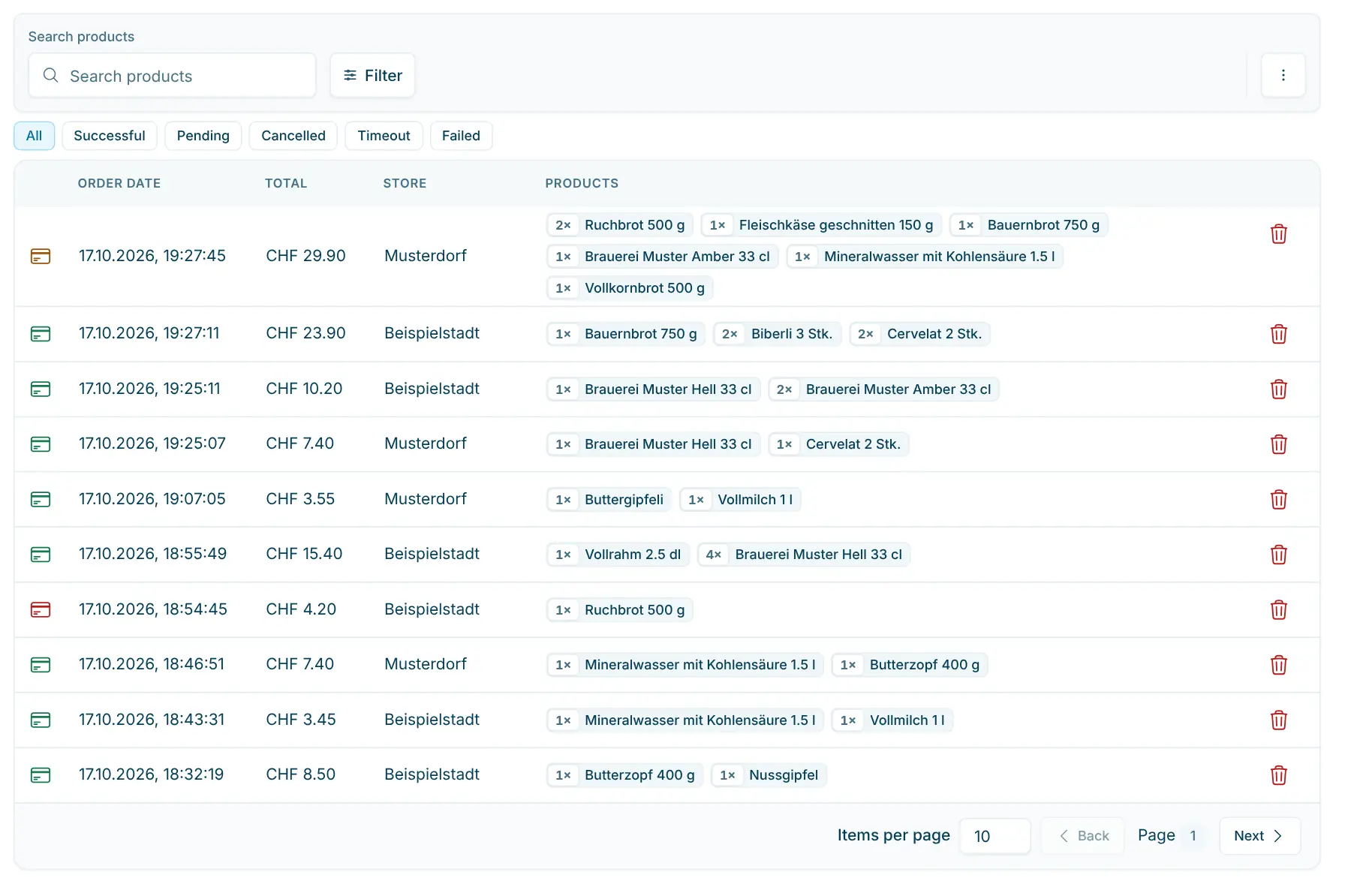
- 3
Filter by payment brand
Narrow the list by period, store, payment status and payment brand, such as TWINT, Visa, Mastercard or Postcard.
app.scango.ch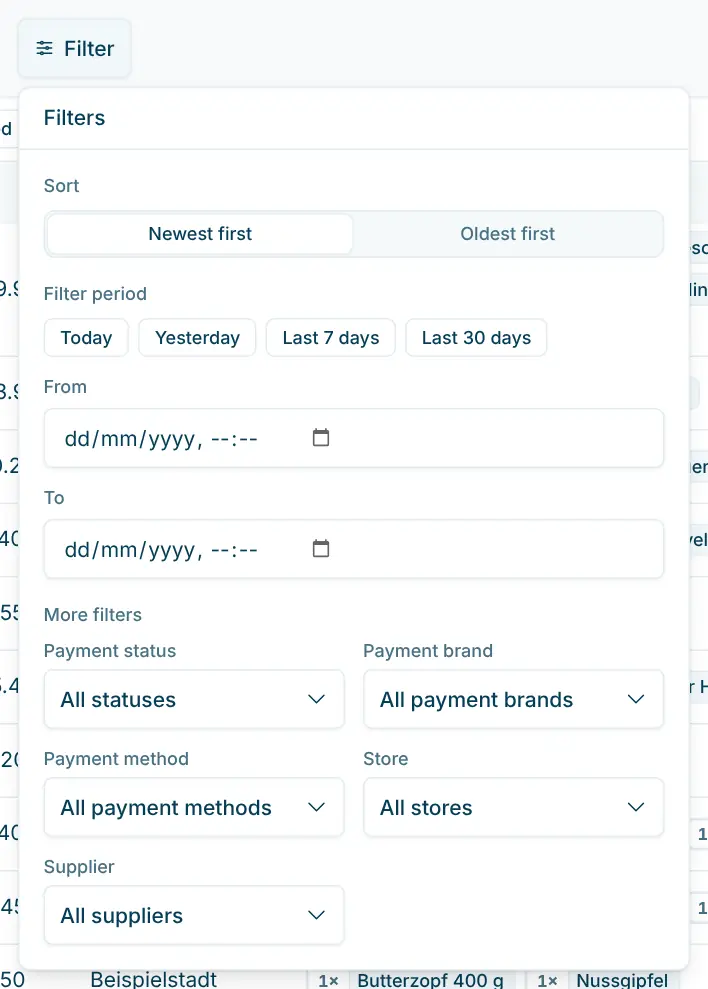
- 4
Sort out exceptions
If the money arrived but the kiosk did not record the purchase as successful, you can mark it afterwards with “Payment was successful”.
app.scango.ch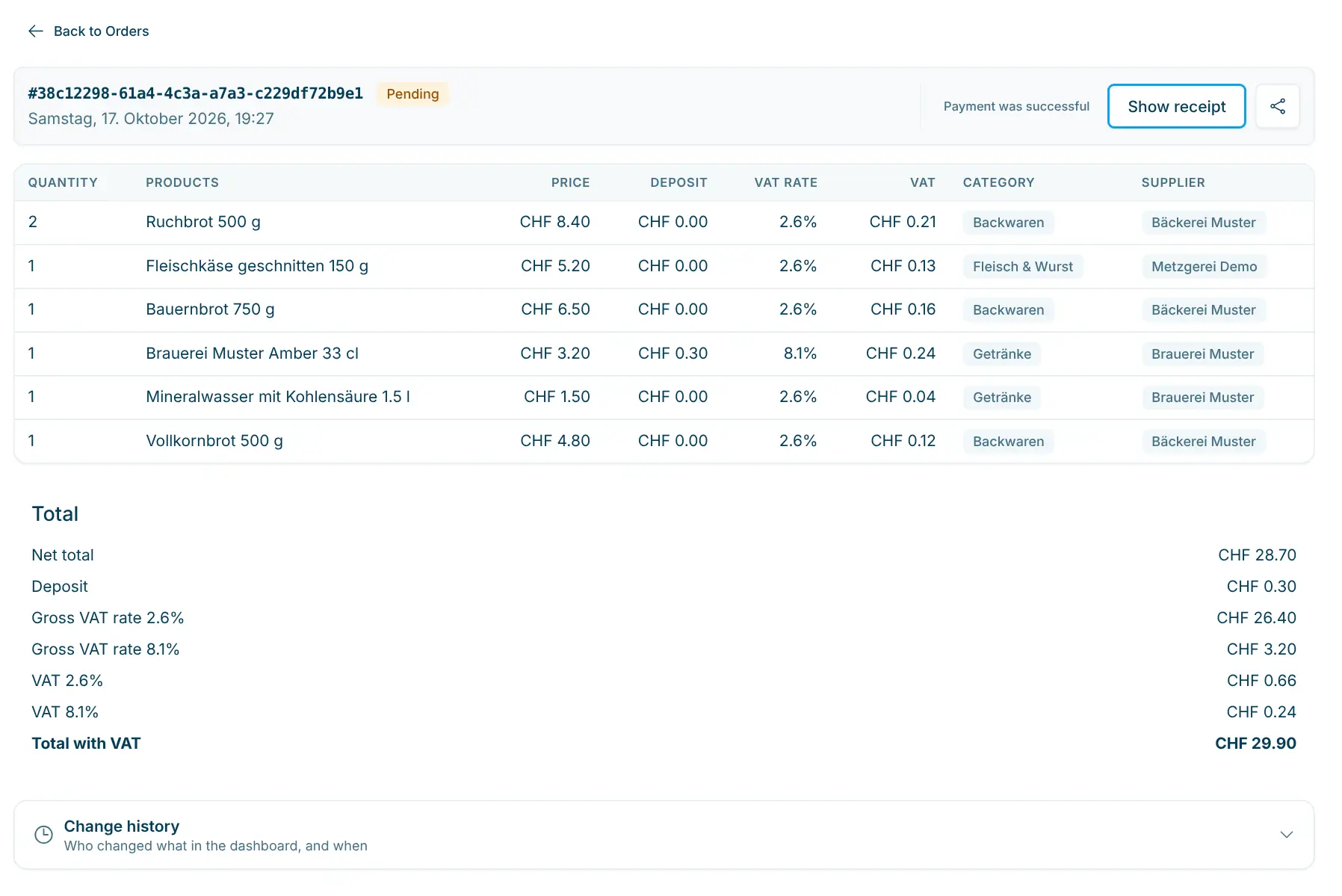
- Read the full guide
Good to know
Card and TWINT as standard
Card payment is the normal case at every scango.ch self-checkout kiosk and is included in every plan. The terminal sits next to the kiosk, as at Dorla Gähwil in the photo above. If you also want to accept cash, add the cash function. Gift cards are redeemed at the same kiosk (Retail and Pro plans).
- Freika PAX IM30 payment terminal
- CHF 1’190.– one-off
- Internet for kiosk and terminal
- min. 5 Mbps, ping max. 50 ms
- Payment methods
- Card and TWINT
- Receipt
- QR code, printing optional
- Reporting
- Orders, filters, CSV export
- Card payment
- in every plan, from CHF 99.–/month
Requirements
In operation
Cost
scango.ch
More features
All plans
EAN / barcode scanner
Capture products in seconds – including gift-card and discount barcodes.
FAQ
Which payment terminal do I need?
The Freika PAX IM30 payment terminal. It costs CHF 1’190.– one-off (excl. VAT) and can be ordered together with the kiosk through a quote.
Does it take TWINT?
Yes. At the terminal customers pay by card or TWINT.
What does card payment cost in the plan?
The connection to the payment terminal is included in every plan, already in the Basic plan at CHF 99.– per month.
What happens if someone cancels at the terminal?
The kiosk goes back to the basket. In the dashboard the purchase shows as “Cancelled”. The customer can pay again or delete the purchase.
Where do I see how a purchase was paid?
Under “Orders”. In the filter you choose the payment brand, for example TWINT or Visa. The CSV export contains payment method and payment brand for each line.
Does card payment work without internet?
No, kiosk and terminal need an internet connection. For outages, the cash function can be set to appear only when the kiosk is offline.

Hi, I’m Tobias.
Happy to help. Sign up for free to get a first impression – or request a non-binding quote. I’m here if you have questions.
Tobias Kobelt · scango.ch