All plans
Manual selection
Pick items without a barcode by image and category – fresh and specialty goods.
Sell cheese, vegetables or meat by weight: customers place the goods on the scale, tap the product and take the printed label. At the kiosk they scan the label like any other item.
Four steps, no staff. Nobody has to explain anything – the screen guides through it.
As soon as the weight is stable, the screen shows all scale products – alphabetical, with image and price per kg.
The price follows from weight and price per kg. Customers deduct their own container with “Set as packaging”.
The scale prints a label with product, weight, price per kg, price and QR code.
The kiosk reads the price from the label. Everything is paid together – by card, TWINT or however the shop is set up.
The scale uses the same catalogue as the scanner and manual selection. These images are taken straight from the cloud dashboard.
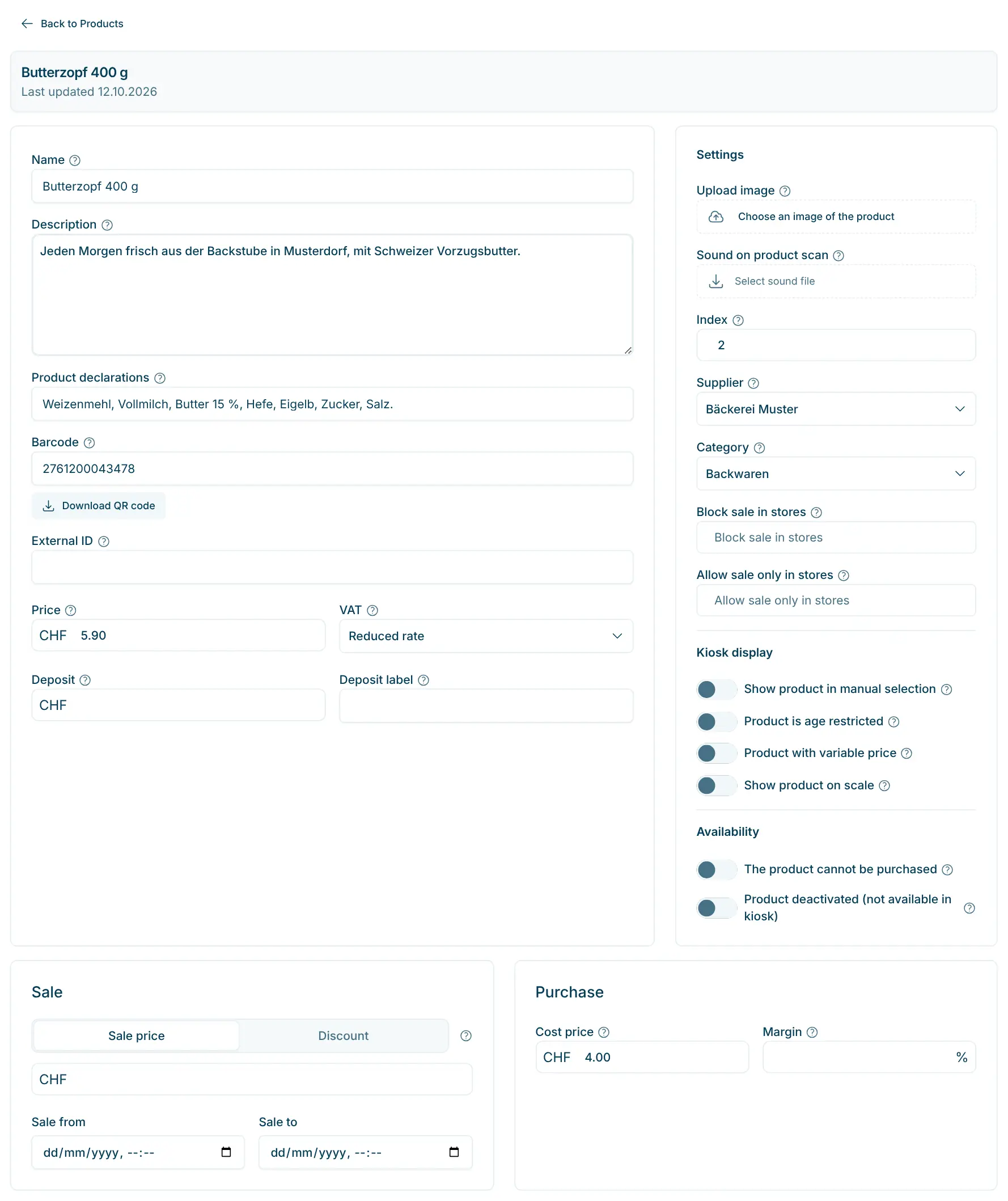
Mark the product for the scale
On the product, switch on “Show product on scale” and enter the price per kg as the price. The barcode is a template with room for the price (e.g. 2200000PPPPP) – the scale fills it in when printing.
Design the scale screen
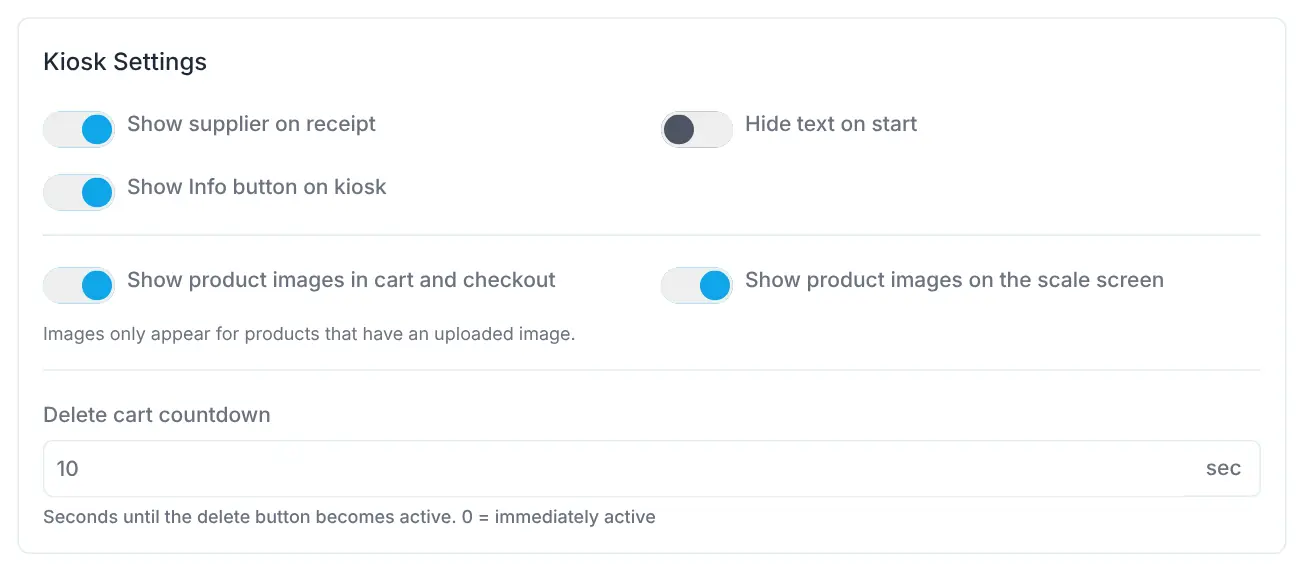
In the store’s kiosk settings you decide whether the scale shows product images. For the start screen you upload your own background image.
The scale complements the kiosk wherever goods are sold without a fixed unit price: village shops with vegetables and fruit, company shops of cheese dairies and butchers, or specialty stores with loose goods. Customers keep scanning unit goods at the kiosk and pick items without a barcode there by image.
All plans
Pick items without a barcode by image and category – fresh and specialty goods.
All plans
Capture products in seconds – including gift-card and discount barcodes.
All plans
Prices, barcodes, VAT, deposit, age and visibility – maintain your assortment yourself.
We agree on the scale with you, plus the add-on at CHF 49.– per month and store.
No, it complements it. Customers scan unit goods at the kiosk, weigh fresh goods on the scale and pick items without a barcode at the kiosk through manual selection.
No. The scale is a separate station and prints a label. Only when the customer scans the label at the kiosk does the item join the purchase with weight and price.
Place the empty container and tap “Set as packaging” – its weight is then deducted.
All products with “Show product on scale” switched on, sorted alphabetically and with an image if you like.

Happy to help. Sign up for free to get a first impression – or request a non-binding quote. I’m here if you have questions.
Tobias Kobelt · scango.ch