Retail plan
Discount codes
Percent or fixed amount on product, category or supplier – valid at self-checkout.
Every gift card has its own QR code, a value in CHF and an expiry date. Customers scan the card at the checkout, the balance is set against the purchase, and they can top up an empty card right there.
For a promotion you create many identical cards with a shared code prefix and download the list as CSV and the QR codes as a ZIP.
Customers top up cards with a value of 0 themselves at the checkout, with amounts from CHF 10.– to 200.– or a custom amount.
The detail page shows each charge and top-up with order ID, date and new value.
One card can be used or topped up per purchase.
The customer scans the gift card’s QR code at the checkout, just like an item.
The checkout deducts the balance from the purchase. If it is not enough, the customer pays the rest as usual.
If the balance exceeds the purchase, the customer finishes with “Complete purchase (Remaining gift card balance: CHF …)”. The rest stays on the card.
If the card is empty, the checkout asks whether to load money onto it. With “reload” a customer can also add to an existing balance and pays the amount with the purchase.
The images come straight from the Cloud Dashboard, filled with sample data.
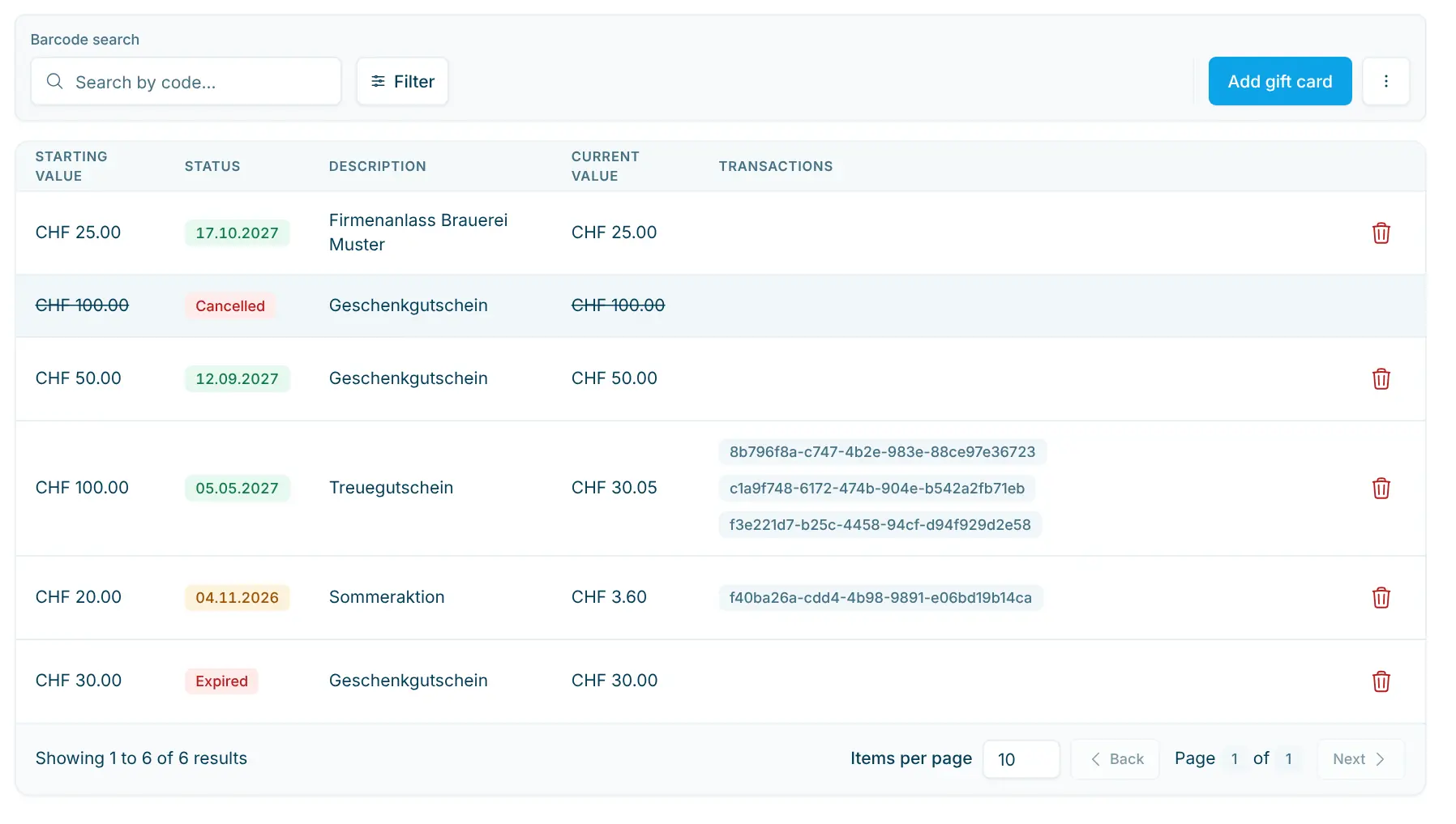
Overview with status
Starting value, expiry date, description, current value and transactions. Green means valid, orange expires within 30 days, red has expired.
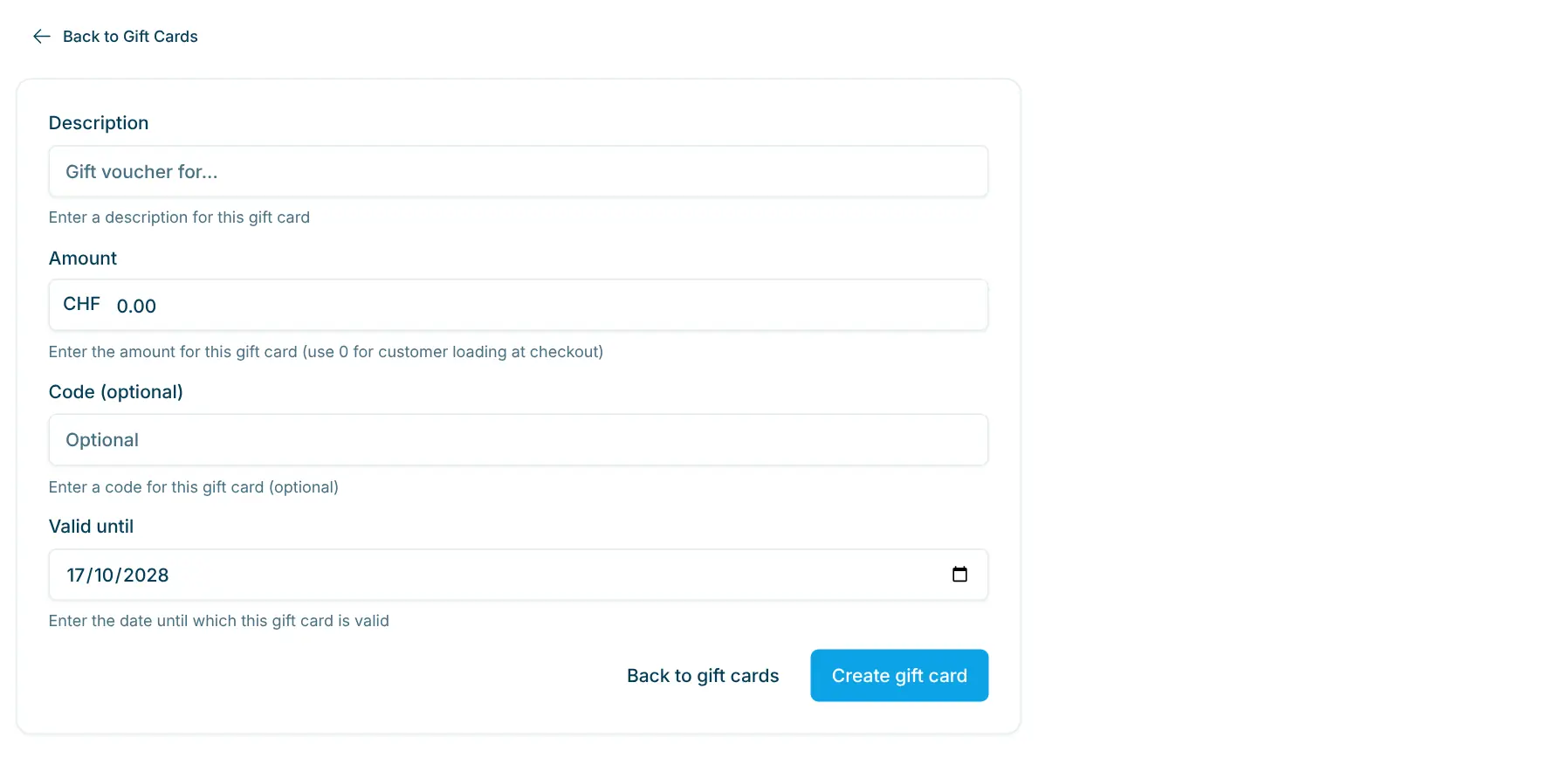
Add a gift card
Description, amount, optional code and “Valid until”, suggested two years ahead. An amount of 0 means customers top the card up at the checkout.
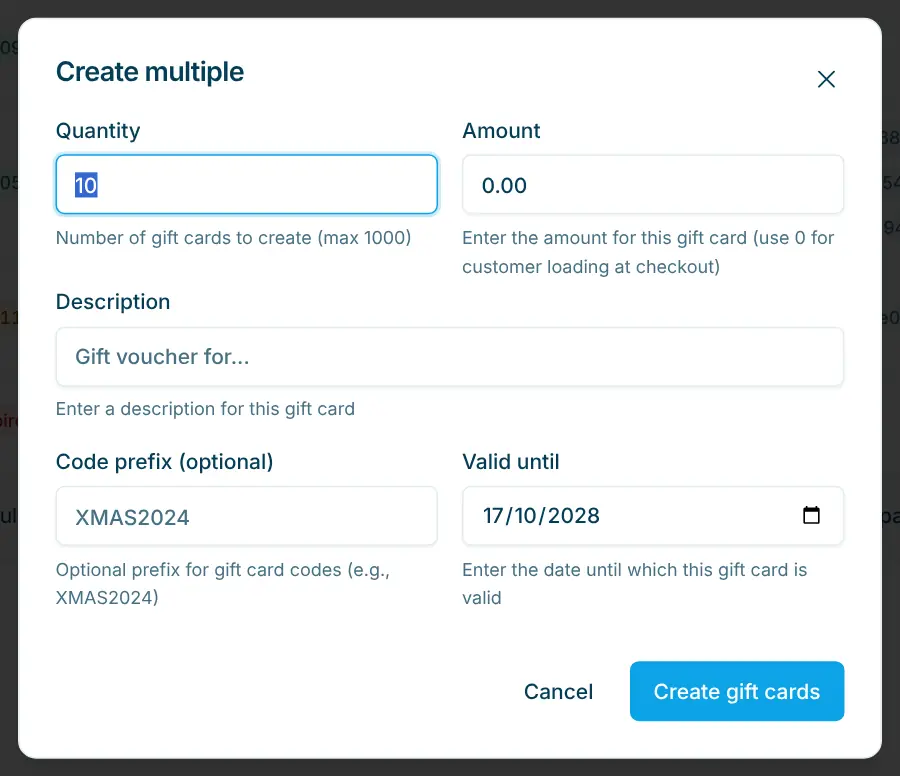
Create multiple
Quantity up to 1000, amount, description, code prefix and one expiry date for all cards. Then download CSV and QR codes for your printer.
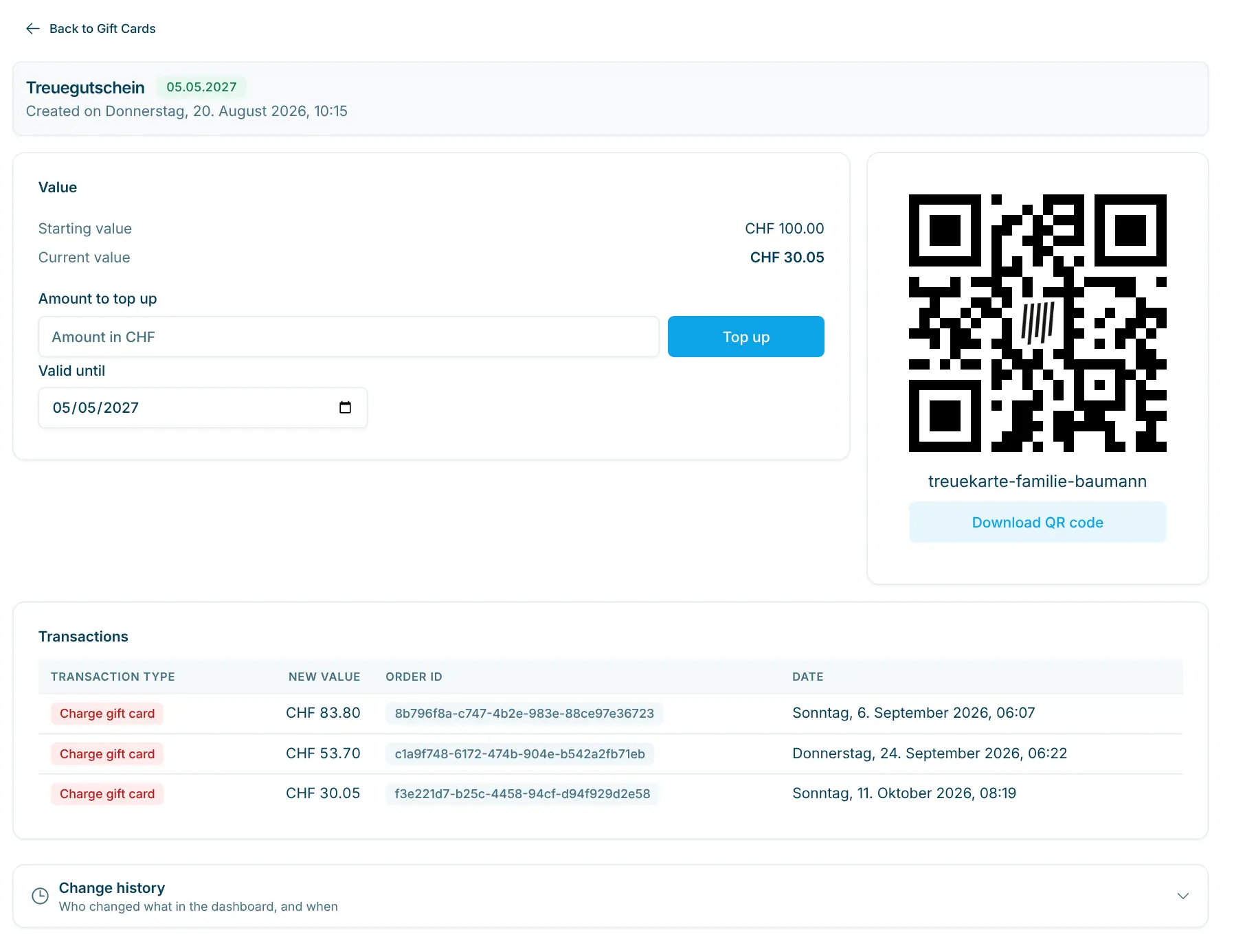
One card in detail
Starting and current value, “Amount to top up”, expiry date and QR code. Below that every transaction with order ID and date.
A redeemed gift card is a means of payment: it does not reduce product revenue in Statistics or financial reports. Selling a card counts as revenue in the financial report, usually at 0% VAT. There is no ready-made print template; you print the QR code on cards in your own design. If you sell a card on invoice, you top up the balance manually in the dashboard.
Retail plan
Percent or fixed amount on product, category or supplier – valid at self-checkout.
All plans
Prices, barcodes, VAT, deposit, age and visibility – maintain your assortment yourself.
They scan the card’s QR code at the checkout. The balance is set against the purchase and recorded in the transactions as “Charge gift card”.
It stays on the card. In the dashboard you see it as the current value, and the customer can use the card again next time.
Yes. If the card is empty, the checkout offers a top-up. With a balance on it, the customer adds to it with “reload”. The amount is paid in the same purchase.
The checkout shows “Gift card no longer valid”. You can extend “Valid until” on the detail page.
No. You download the QR code as a PNG, or all codes at once as a ZIP for many cards, and print it in your own design. Print it dark on a light background and not too small.
As “Gift Cards Sold”, “Gift Cards Redeemed” and “Net Gift Card Revenue”, the change in outstanding balances during the period.

Happy to help. Sign up for free to get a first impression – or request a non-binding quote. I’m here if you have questions.
Tobias Kobelt · scango.ch